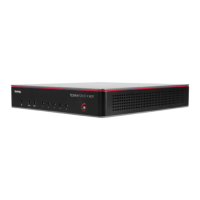
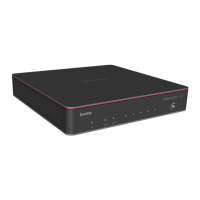
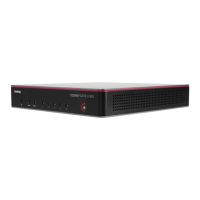
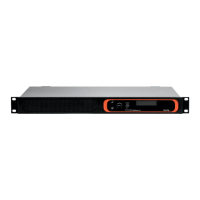
1600. Up to 8 channels of amplification are supported on all models when using Biamp Launch auto-configuration.
These limitations do not apply to manually configured TesiraFORTÉ X.
Biamp Launch
TesiraFORTÉ X features Biamp Launch functionality, allowing for one-touch room hardware
discovery, configuration, and tuning. Upon completion of the Launch process, a report card
detailing the room’s acoustic performance before and after optimization and the Biamp hardware
manifest is available for viewing via a web browser. The Launch report card can also be printed as
a pdf.
TesiraFORTÉ X is fully auto-configurable but users also have the option to customize its
programming just like any other Tesira DSP device. The device will be available to accept a configuration file from
Tesira software if the TesiraFORTÉ X is first cleared using the Tesira software Device Maintenance > Clear
Configuration option. A user can restore Launch auto-configuration in TesiraFORTÉ X via a hardware reset using the
pinhole reset button. The reset button is located between the GPIO block and the power connector.
Auto or manual configuration
TesiraFORTÉ X offers users 2 discrete modes of operation - auto-configuration or manual
configuration. TesiraFORTÉ X ships ready for Biamp Launch auto-configuration.
Auto-configuration
With the assistance of Biamp Launch, TesiraFORTÉ X features automated system hardware discovery, configuration,
and tuning. Upon completion of the auto-configuration process, a report card detailing the room’s acoustic performance
before and after optimization plus the Biamp hardware manifest is available for viewing via a web browser and can be
printed as a pdf.
Auto-configuration is a closed system which allows a consistent and repeatable installation process for many conference
room applications. Auto-configuration is initiated using the Biamp Launch button on the front of the device or via the
Audio webpage. Please review the Biamp Launch article for details on the auto-configuration process and behaviors.
When TesiraFORTÉ X is auto-configured it offers Tesira’s dedicated AEC processing on up to 8 Parle microphones
(depending on hardware model), support for up to 8 channels of amplification using Biamp Parle amplifiers, 1x1 channel
USB connectivity with HID mute sync, VoIP with support for the Biamp HD-1 dialer, (5) 1G network ports including (4)
ports offering PoE+, and support for audio over AVB between TesiraFORTÉ X and select Biamp Tesira peripheral
hardware including Parle mics and amplifiers and the EX-UBT USB and Bluetooth-capable expander. The EX-UBT adds
an additional 1x1 USB audio connection as well as a 2x1 Bluetooth connection.
If additional AVB ports are required, up to (3) TesiraCONNECT TC-5 devices may be linked on P2-5 to increase the port
count as needed. If multiple TC-5 are required, TC-5 may be connected in a daisy chain, star, or hybrid daisy-chain/star
configuration. The TesiraFORTÉ X (P2-P5) participates as a media network switch in this configuration.
https://support.biamp.com/Tesira/Miscellaneous/TesiraFORTE_X
Updated: Thu, 01 Dec 2022 17:48:44 GMT
Powered by
2


 To Next Page
 Loading...