VI. Appendix BigRep
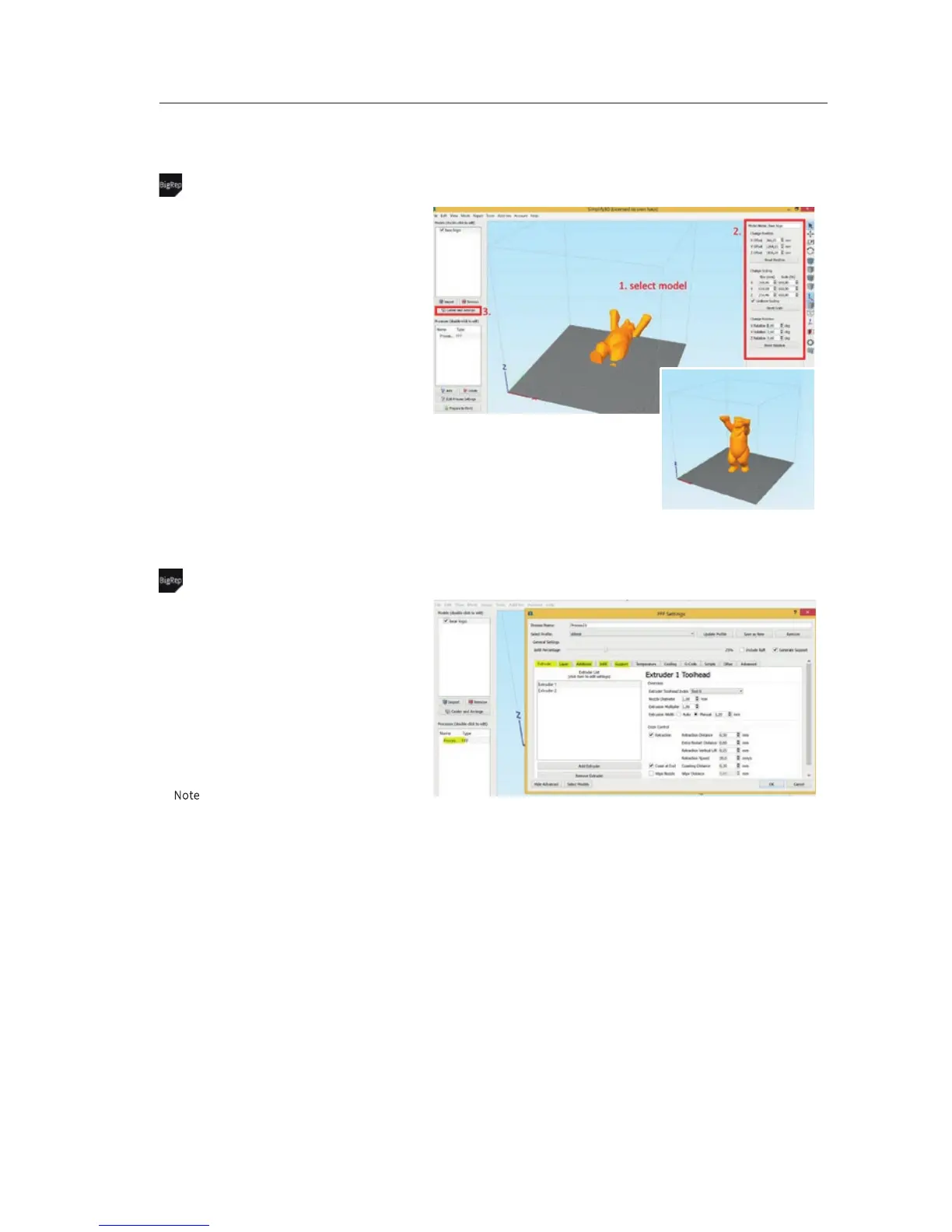
Slicing – model settings + place surface on bed
Most important:
• Avoid support
• Use correct size/measurements
• Place the model directly to the bed
In detail:
• Import Model: click at File / Import Model and
load a new .stl file
• Rotate: click at the model (1.), rotate in X,Y or
Z direction (2.)
• Scale: choose percentage or millimeter,
uniform scaling recommended (2.)
• Last step: click at Center and Arrange (3.)
before
Slicing – most important settings
To choose the settings for your print, open the
process and go to advanced settings, most
important categories are:
• Extruder
• Layer
• Additions
• Infill
• Support
N
ote: Find a detailed description for each
categories at the following pages.
VI-E 2/7



 To Next Page