www.bigstone-nj.com
Address:NO.35 PuZhou Road, PuKou District, Nanjing City, China
Tel:025-89618445
Fax:025 – 58849541
Email: bigstone.ebike@gmail.com
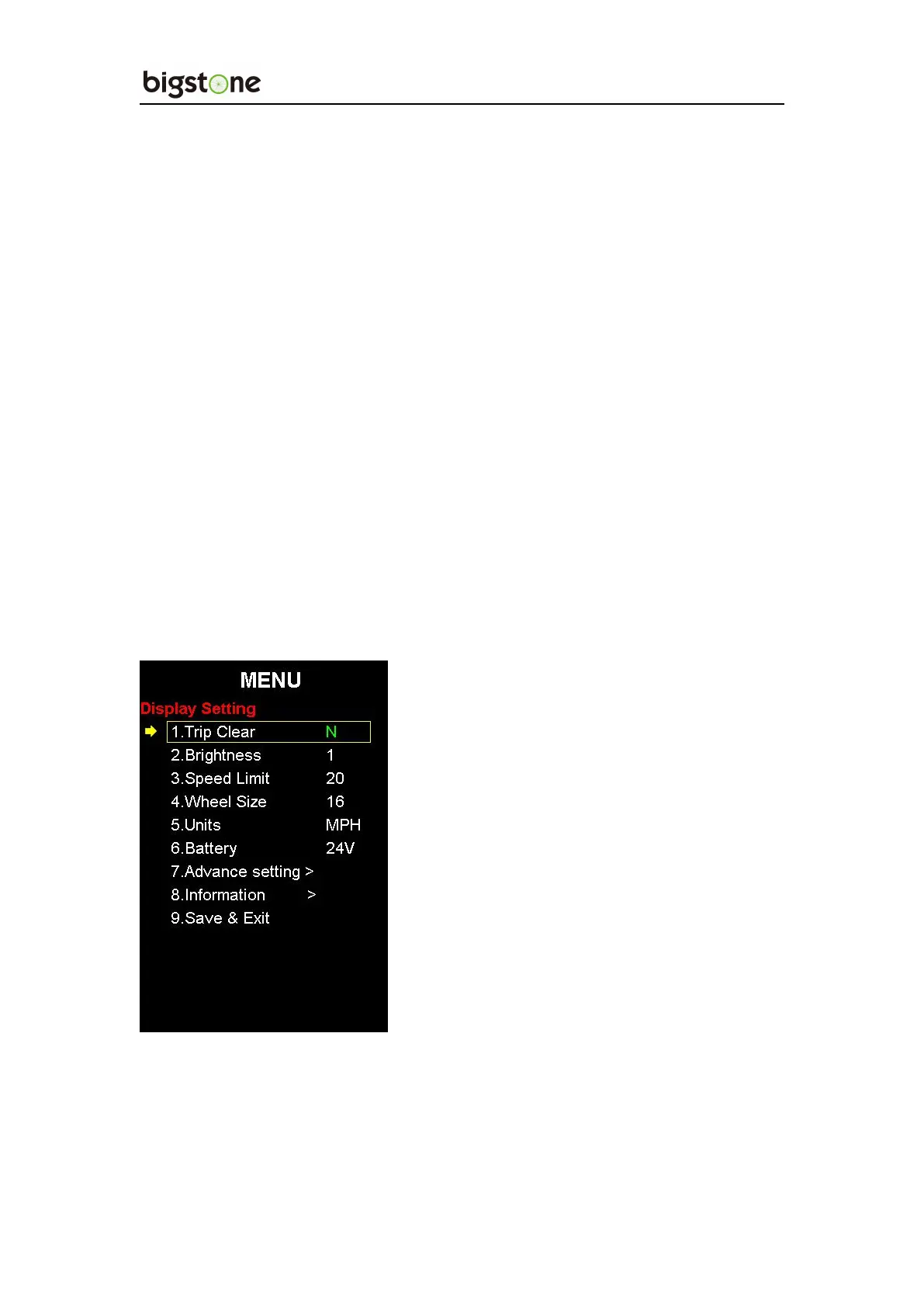
10. SETTING OPERATION
Hold the SET for 2 seconds and enter into the setting interface, click “+”
“-”to select the setting item, then click SET again, when the color of the
setting item turns green, then user can press “+” or “-” to select the
wanted parameter, and after the parameters have been changed, click SET
again, the color will turn white and this setting item has been finished.
10.1:Trip Clear
N means NO, Y means YES. Select “Y” and when user return main
interface, user will find the Trip has been cleared.


 To Next Page