Need help?
Do you have a question about the BIGSTONE C600E-LCD and is the answer not in the manual?
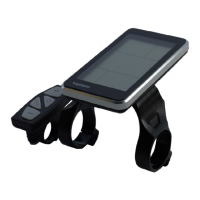
Describes the physical dimensions and appearance of the product.
Details the materials and colors used in the product's construction.
Summarizes ON/OFF, current display, speed, units, backlight, and 6KM/H work.
Details PAS levels, error codes, set operations, distance, and trip time.
Explains battery status, cable definitions, and auto-sleep.
Details how to power the unit on/off and interpret the current display.
Explains how to choose between POWER, NORMAL, and ECO riding modes.
Shows speed display and how to select KM/H or MPH units.
Explains backlight control and the 6km PAS work mode.
Details PAS level selection and how to interpret error codes.
Guides users on entering and navigating the setting interface.
Covers speed limit, wheel diameter, and unit settings.
Explains the ODO, Trip 1, and Trip 2 mileage displays.
Describes the display of the riding time parameter.
Details battery residual capacity, voltage, and percentage.
Explains the function for tracking battery charging and discharging times.
Explains the pinout and function of the display cable connections.
Describes the automatic sleep mode activation after inactivity.
 General
| Brand | BIGSTONE |
|---|---|
| Model | C600E-LCD |
| Category | Bicycle Accessories |
| Language | English |

 To Next Page