Need help?
Do you have a question about the BIGTREETECH Pad 7 V1.0 and is the answer not in the manual?
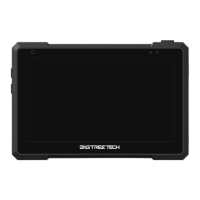
The BIGTREETECH Pad 7 is a tablet designed for 3D printing enthusiasts, pre-installed with Klipper and KlipperScreen. It offers a comprehensive solution for managing and monitoring 3D printers, providing a user-friendly interface and flexible connectivity options. The device is engineered to support various core boards, including the CB1 and CM4, allowing users to customize its performance and capabilities according to their specific needs.
The primary function of the BIGTREETECH Pad 7 is to serve as a dedicated control interface for 3D printers running Klipper firmware. It integrates a 7-inch IPS touch screen, offering a wide field of view and high level of detail for an enhanced user experience. The tablet comes with Klipper and KlipperScreen pre-installed, enabling immediate control and monitoring of 3D printing operations without extensive setup.
The device features multiple connectivity options, including three USB 2.0 ports, an Ethernet port, CAN, and SPI interfaces. These allow for seamless connection to various peripherals and expansion modules, such as the EBB36 and ADXL345 accelerometer module. The Ethernet port supports 100M networking with the CB1 core board and Gigabit networking with the CM4, ensuring robust network communication for remote control and data transfer.
The Pad 7 also includes a built-in speaker with adjustable volume buttons, providing audio feedback for various operations. A 3.5mm headphone jack allows for the connection of external headphones or speakers, offering flexibility in audio output. The touch screen supports 5-point touch, powered by the GT911 high-performance touch chip, ensuring responsive and accurate input.
For core board flexibility, the Pad 7 is designed with BTB headers, allowing users to easily replace the default CB1 core board with a CM4. This modular design ensures that the device can adapt to evolving performance requirements and user preferences. The tablet also features a built-in light sensor that automatically adjusts the backlight brightness based on ambient light, contributing to energy efficiency and visual comfort.
The BIGTREETECH Pad 7 is designed for ease of use, from initial setup to daily operation. For users working with the CB1 core board, the device requires an OS image provided by BIGTREETECH, which includes Klipper pre-installed. The process of writing the OS image to a microSD card is straightforward, with options to use Raspberry Pi Imager or BalenaEtcher. Once the OS is installed, users can configure network settings, including WiFi, by editing the system.cfg file to specify their network SSID and password.
System settings can be customized through the system.cfg and BoardEnv.txt configuration files. These files allow users to enable or disable various features such as RGB status lights, LCD backlight PWM function, CAN bus functionality (MCP2515 SPI-CAN), and SPI port for ADXL345 accelerometer modules. The BoardEnv.txt file is crucial for enabling hardware overlays, ensuring that all peripherals are correctly recognized and utilized by the system.
The Pad 7 enhances the user experience with vibration and sound feedback for touch interactions, which can be enabled or disabled through the system.cfg file. To utilize these touch feedback features, users need to replace the official KlipperScreen with BIGTREETECH's modified version. This involves updating the KlipperScreen origin in the moonraker.conf file and performing a hard recovery through the Update Manager.
For users opting for the CM4 core board, the device supports OS images released by Mainsail. The setup process for CM4 involves specific configurations in the /boot/config.txt file to enable backlight control, set HDMI output resolution, and ensure USB functionality for the touch screen. Additionally, SPI to CAN and ADXL345 configurations require specific entries in /boot/config.txt and the printer.cfg file, respectively, to ensure proper operation. The CAN bus baud rate, set in /etc/network/interfaces.d/can0, must match the Klipper settings for reliable communication.
The physical design of the Pad 7 includes a bracket that securely attaches to the back of the device using built-in magnets, providing convenient storage and folding capabilities. The bracket can be easily removed using a hex key, offering flexibility in how the tablet is mounted or positioned.
Maintaining the BIGTREETECH Pad 7 involves several key considerations to ensure its longevity and optimal performance. Users are advised against hot-swapping the TF card; it should always be properly inserted before powering on the device to prevent data corruption or damage. Disassembling the device is also discouraged, as unfamiliarity with the internal structure can lead to circuit breakdown, and any issues arising from disassembly will not be covered by compensation.
When replacing the core board, such as switching from CB1 to CM4, users should follow the detailed instructions provided in the manual. This includes disconnecting the power supply, carefully removing screws, detaching the antenna connector, and ensuring the new core board is firmly seated and the antenna reconnected. Proper reassembly of the heatsink and bottom cover is essential for thermal management and physical protection.
Configuration files like system.cfg, BoardEnv.txt, /boot/config.txt, and printer.cfg are central to the device's functionality and require careful management. Regular backups of these files are recommended, especially before making significant changes, to facilitate recovery in case of misconfiguration. When configuring the CAN bus or ADXL345, verifying the wiring sequence and checking the status in the SSH terminal using commands like dmesg | grep can and ifconfig for CAN, or ls /dev/spi* for ADXL345, helps in troubleshooting connectivity issues.
For software updates and maintenance of KlipperScreen, the Update Manager in Mainsail provides a mechanism to refresh and recover the KlipperScreen installation. If custom versions of KlipperScreen are used, ensuring the correct repository origin is set in moonraker.conf is crucial for successful updates.
In case of issues, the manual provides a FAQ section addressing common problems like CAN bus and ADXL345 not working, offering step-by-step troubleshooting guides. For further assistance or resources, users are directed to the BIGTREETECH GitHub repository and encouraged to contact their after-sales support team. This comprehensive support structure ensures that users can effectively maintain their Pad 7 and resolve any operational challenges.
 General
| Brand | BIGTREETECH |
|---|---|
| Model | Pad 7 V1.0 |
| Category | Touchscreen |
| Language | English |


 To Next Page