How to upgrade your firmware
1) Once you download the correct firmware from our website, please extract it
using WinZip to a memorable location of your choice - e.g. desktop. You should
see a new folder extracted and there is a file inside that folder called "ras”.
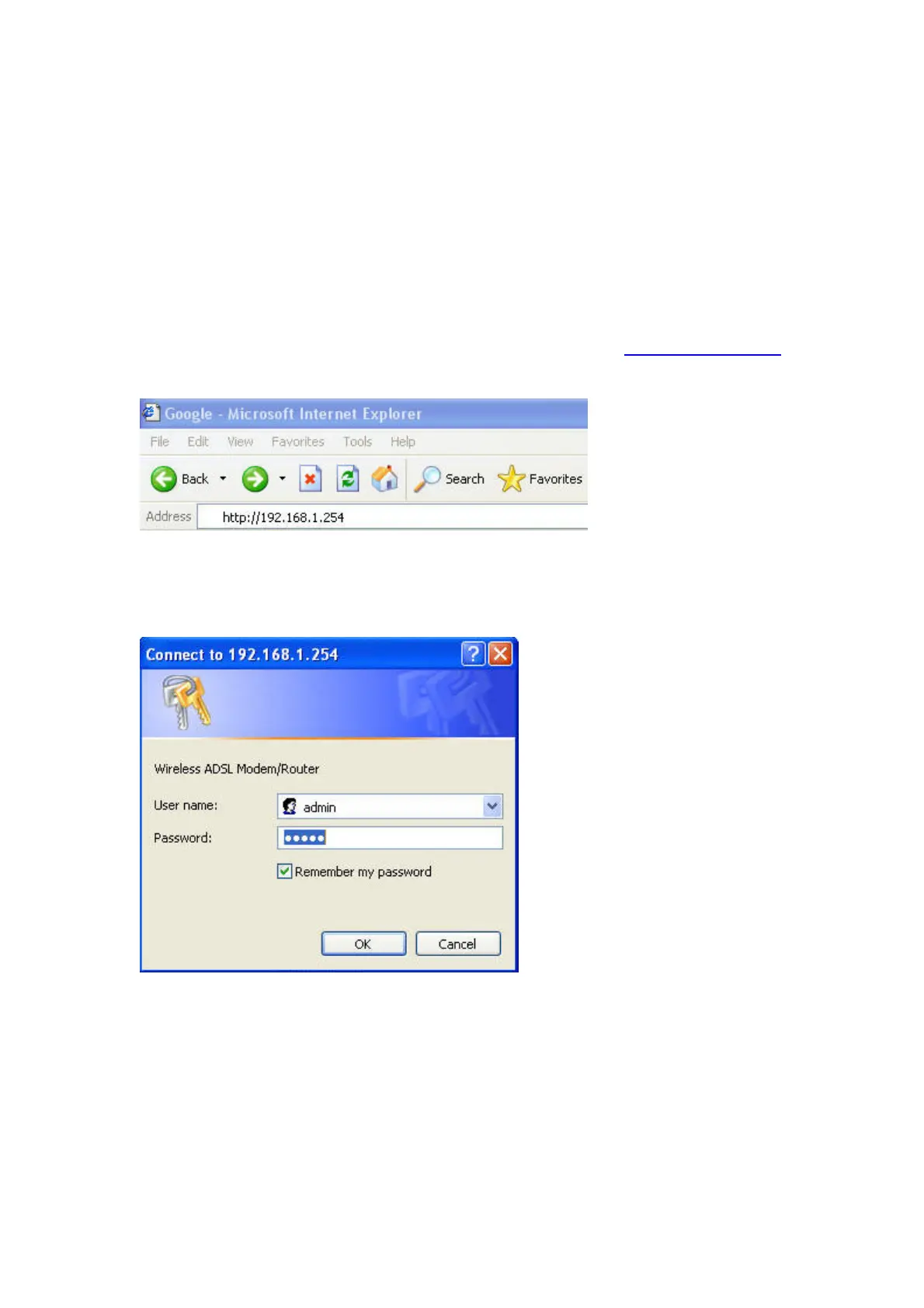
2) Open your browser e.g. Internet Explorer, Firefox…etc
3) On the address bar type in the router’s default IP address http://192.168.1.254
and press “Enter” or “Go”.
4) You should then be prompt for the router’s login
5) Enter the router’s default login details as below unless you have changed it
then press “OK” to proceed.
Username: admin
Password: admin




 To Next Page