52
9.4. LEDS FUNCTIONS
The main screen do not show the LEDs continually: to make them appear or disappear, push in the display where main temperature or
function status is shown.
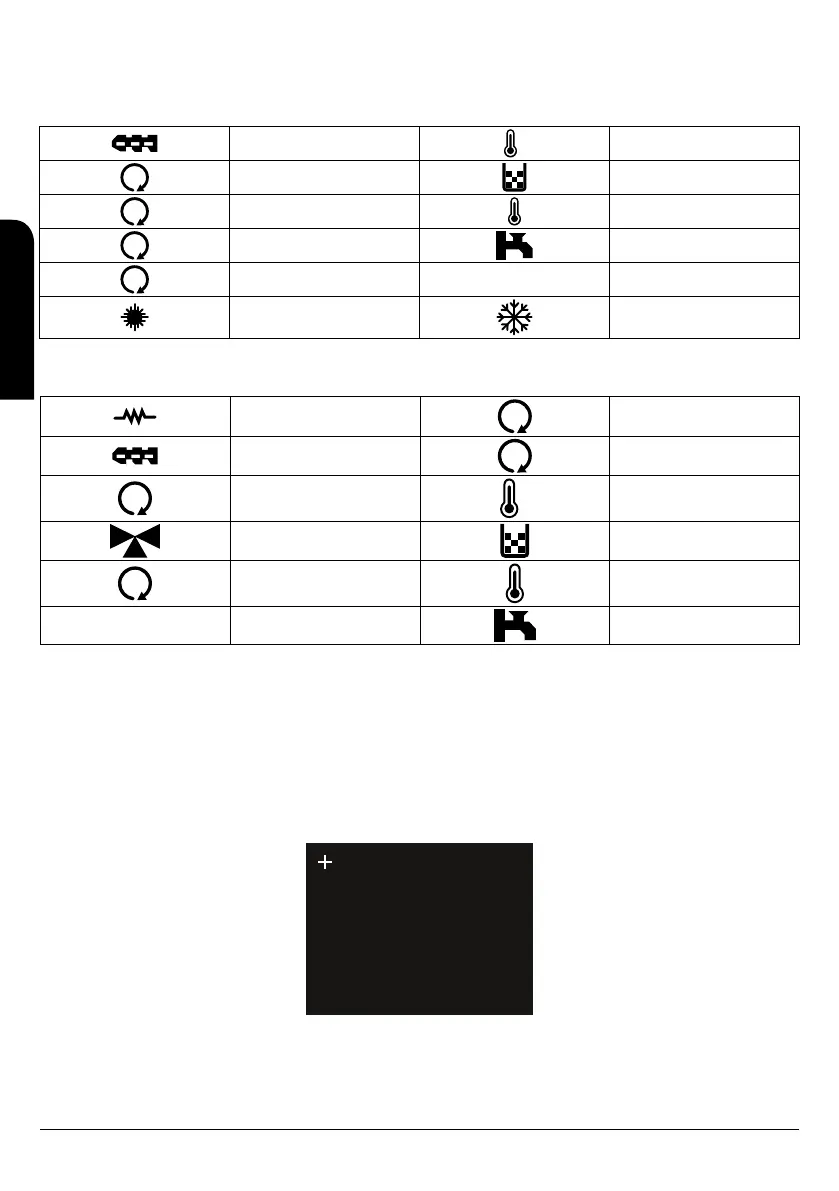
In the model Hydrobox and Hydrotex the meaning of the leds is as follows:
Auger ON
R
Not used in this boiler
1
Not used in this boiler Low combustible level
2
Ignitor ON Ambient thermostat reached
3
3-ways valve ON Sanitary water demand
4
Pump ON
Summer mode Winter mode
In the model Hydroconfort the meaning of the leds is as follows:
Ignitor ON
2
Not used
Auger ON
3
Burner cleaning motor ON
Pump ON
R
Not used
3-ways valve ON Low combustible level
1
Compactor ON Ambient thermostat reached
Sanitary water demand
9.5. TOUCH SCREEN CALIBRATION
The touch display is calibrated from the factory, but if along the time we notice some inaccuracies when the screen is touched, we can make
a new calibration. To calibrate the display, follow the next steps:
1. Switch off the touch screen.
2. Press with your finger any point of the screen and switch on the display.
3. A warning message will be shown “keep touching to force screen calibration”, indicating that we need to keep on touching the screen.
4. After a few seconds, a second warning message will be shown “remove touch now”, indicating that we have to stop touching the
screen.
5. If any step is not done in a few seconds, the calibration process do not start and the display go back to the main screen. If the steps
are properly done, the calibration process starts and the screen will show the screen below:
Touch the cross by stylux.
6. With your fingers, push in the middle of the symbol “+” in the upper left side of the screen.
7. The screen will storage the coordinates of this point and will move the symbol “+” to the middle of the screen as below image:
EN
INSTALLATION, OPERATING AND SERVICING INSTRUCTIONS HYDROBOX, HYDROTEX AND HYDROCONFORT



 To Next Page