53
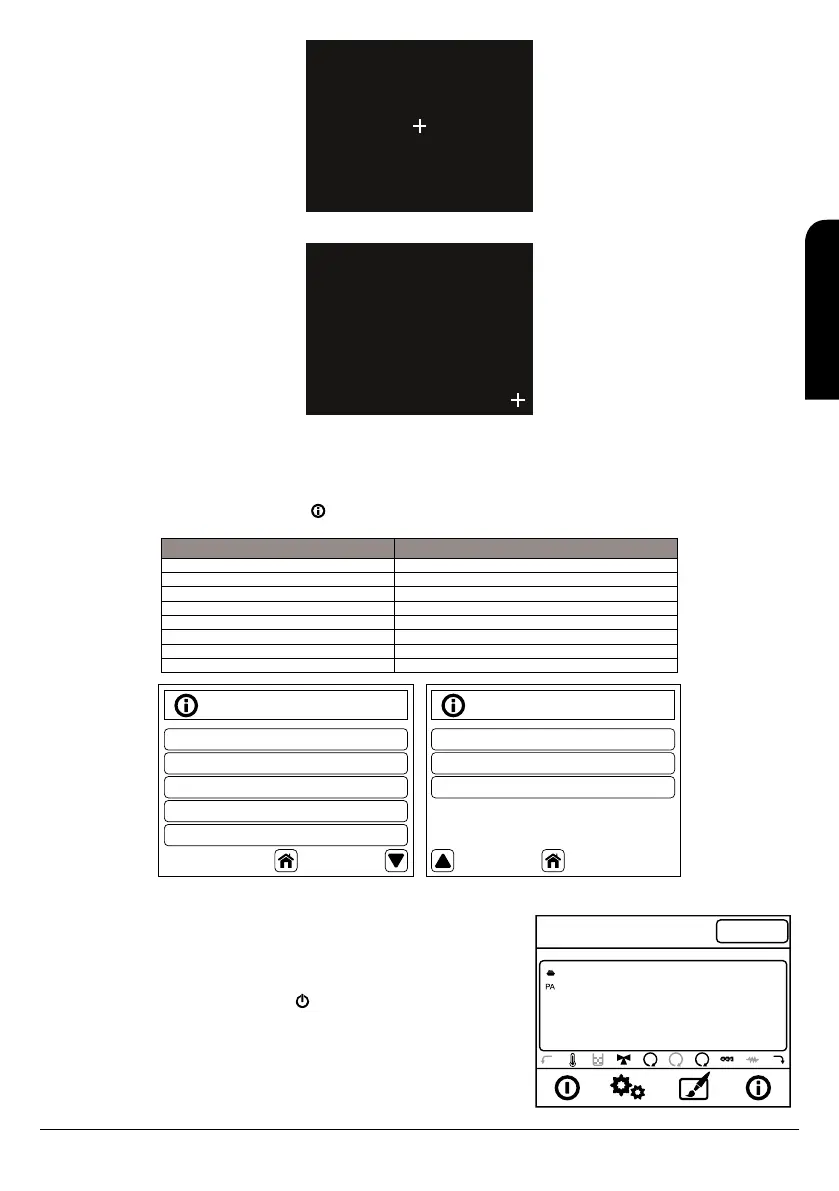
Touch the cross by stylux.
X1: 749 Y1: 764
8. Press again in the middle of the symbol “+”, that will move now to the down right side of the screen as below image:
Touch the cross by stylux.
X1: 749 Y1: 764
X2: 455 Y2: 561
9. After pressing this point again the calibration process will be completed and display will go to the main screen.
Check now, pressing the screen, that the display now has more accurately in the assigned orders.
9.6. BOILER STATUS
With the boiler running, pushing only once the key in the display, we can access to the next menu which provides technical information of
the boiler status.
Display Description
Exhaust T. [°C] 28 Smoke temperature of the boiler
Buffer temperature [°C] 26 Sanitary water temperature in the tank
Pressure(mbar) 601 Working pressure of the boiler (water pressure)
Air hux 70 Air flow
Fan speed[rpm] 1250 Smoke extractor fan speed
Auger [s] 1.2 Auger activation time
Recipe [nr] 1 Comsbution order selected (Only 1)
Production code. 510- Model code (Only for internal use)
Information
Exhaust T. (º C)
Buffer T. (º C)
Pressure (mbar)
Air Flux
Fan Speed (rpm)
28
26
601
70
0
Information
Auger (s)
Recipe (nr)
Prod. Code: 510
1.2
1
1111
11:24
21º
Er.01
65º C
2
1
Ignition
Wed 11 September
Crono
Disabled
9.7. USER MODE
Below is a description of the display in normal operation depending on the available
functions.
9.7.1. BOILER SWITCH ON
To switch on the boiler we have to push the key during three seconds. First the boiler will
make an initial “check up” and then the lighting process will start; we will see the message
“Ignition”
The time of lighting process is several minutes. If after this time the flame is not present the
boiler will automatically show the alarm “Er12”
EN
INSTALLATION, OPERATING AND SERVICING INSTRUCTIONS HYDROBOX, HYDROTEX AND HYDROCONFORT



 To Next Page