58
9.8.4. MENU 4. CHRONO
IMPORTANT NOTE. Before proceed with your boiler programming check the date and hour. Otherwise the programming will be set
up according to the fixed date and hour and could not satisfy your needs.
This menu allows the programming to automatically switch on/off your boiler following the parameters you fixed daily, weekly or weekend.
9.8.4.1. SUBMENU 4.1. CHRONO ON
Edit time
Enable CRONO
Enable daily mode
Enable weekly
Enable week-end
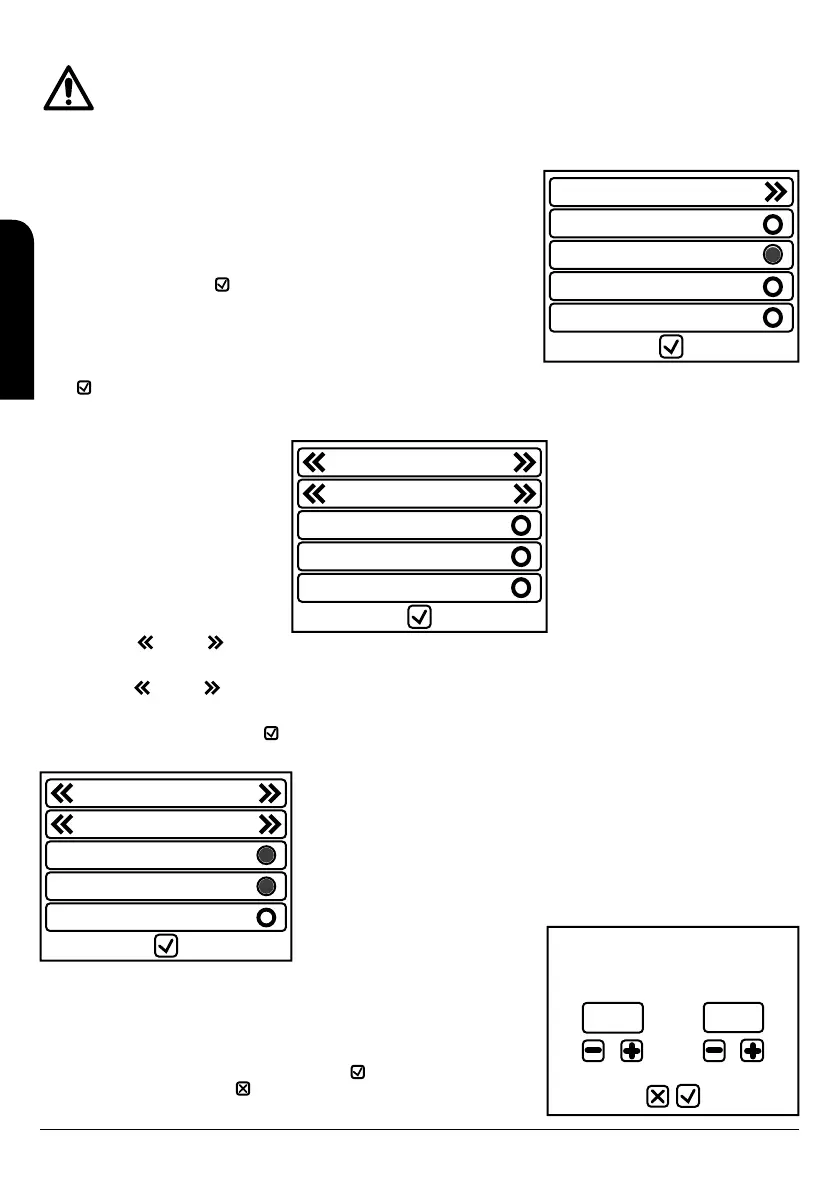
In this submenu, you can choose between enable or disable the boiler program.
If the chrono is disabled the LED is off , if it is enabled the LED will be light in red .
To select the desired programming push one of the three options: “enable diary”, “enable
weekly” or “enable weekend”
If the chrono is disabled the LED is off , and if it is enabled the LED will light in green . You
can only choose one of the three options, not being able to select 2 or more combinations.
To confirm and exit press button .
9.8.4.2. SUBMENU 4.2. EDIT TIME
To modify the programming of the time slots press “edit time”. To confirm and exit press
button .
After pressing “edit time” we enter in the window to modify the different slots for each type of programming.
Daily
Monday
Time 1 00:00 00:00
Time 2 00:00 00:00
Time 3 00:00 00:00
Press the key left and right in the first line to visualise the three types of programs
available and choose between: daily, weekly and weekend.
Press the key left and right in the second line to visualise each day or day groups of the week according to the previous selected
programming.
To exit the menu “edit time” press the key . To enable and disable the three time slots pres the led in the desired line. If the led light is
disable the led light will be off, if the led light is enable the led will be in red.
Daily
Monday
Time 1 09:00 13:30
Time 2 15:00 19:30
Time 3 20:45 23:15
Monday
Time 1
8:30 13:00
To modify the hours push in the desired line. The new window will show the day or group of
days and the hour slot we are going to set up.
The hour on the left is the hour when the boiler will switch on, the hour on the right
corresponds to the hour the boiler will switch off. To increase the hour press the key + and to
decrease the hour press the key -. You will be able to modify in 15 minutes fractions.
To accept the programming values and exit press the key , but if you do not want to sabe
the new programming press the key . The programming options are saved separately so
they can be modified independently.
EN
INSTALLATION, OPERATING AND SERVICING INSTRUCTIONS HYDROBOX, HYDROTEX AND HYDROCONFORT



 To Next Page