EasyManua.ls Logo

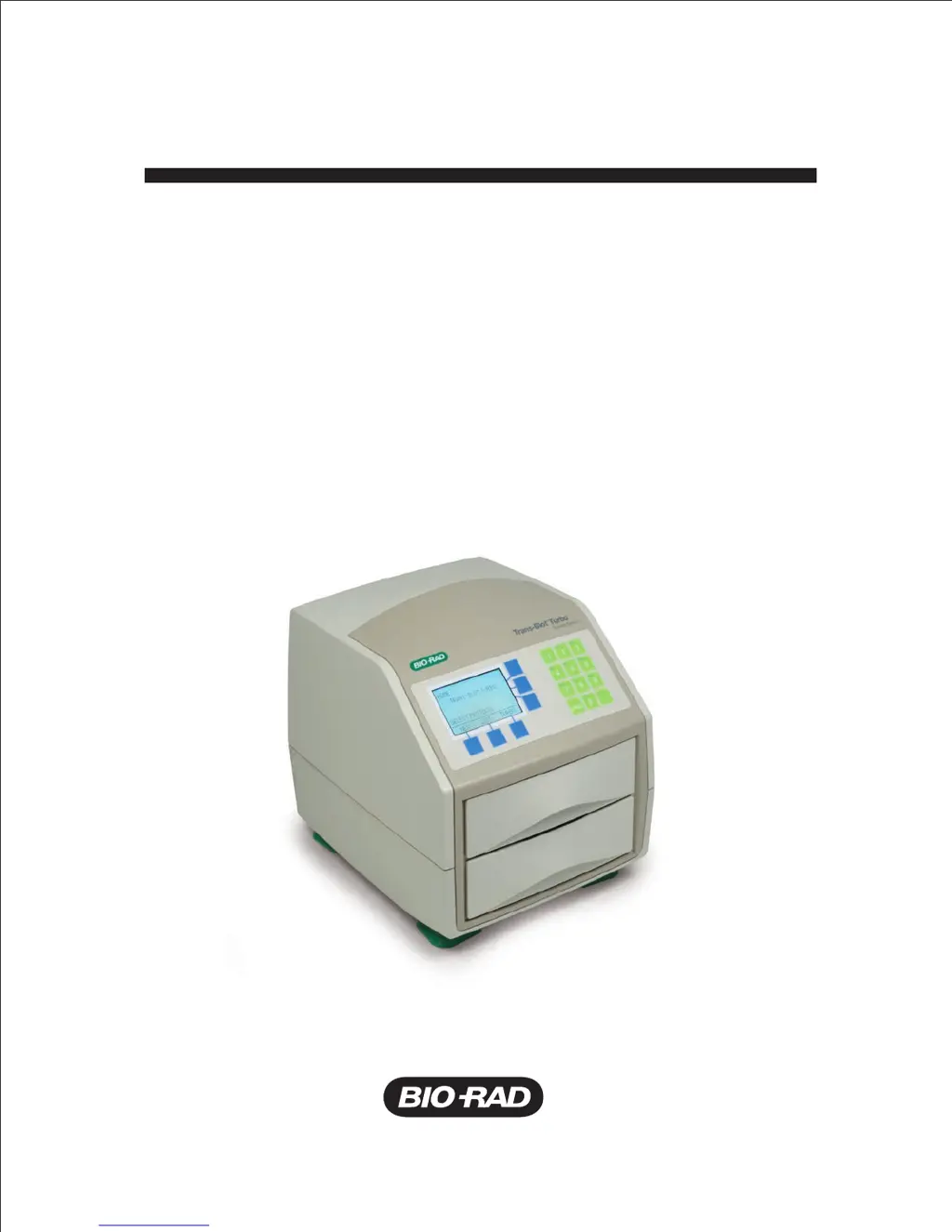
BIO RAD Trans-Blot Turbo - User Manual

BIO RAD Trans-Blot Turbo
40 pages
Print Icon
To Next Page IconTo Next Page
Loading...
Trans-Blot
®
Turbo
Blotting System
Instruction Manual
Catalog number
170-4155

Questions and Answers

  • D
    David NguyenJul 27, 2025
    What to do if NO LOAD DETECTED is displayed on the Run screen of my BIO RAD Trans-Blot Turbo Laboratory Equipment?
    • C
      Christopher Smith MDJul 27, 2025
      If 'NO LOAD DETECTED' appears, it indicates that the instrument detects a cassette, but current isn't passing between the electrode plates. Ensure the blotting assembly is correctly positioned and thick enough to contact both electrode plates. If using a custom buffer, verify the concentrations of its components. Also, with the instrument unplugged, clean the electrical contacts with a cotton swab or wipe moistened with isopropyl alcohol.
  • L
    Luke SuttonJul 31, 2025
    What to do if POWER FAILURE! PRESS ANY KEY TO CONTINUE is displayed on the screen of my BIO RAD Trans-Blot Turbo?
    • N
      newmanthomasJul 31, 2025
      If the message 'POWER FAILURE! PRESS ANY KEY TO CONTINUE' appears, it means the instrument lost power during operation. Turn off the power switch, restore power, and then restart the instrument.
  • R
    Robin FrancoAug 4, 2025
    Why is there poor or no electrophoretic transfer with BIO RAD Trans-Blot Turbo Laboratory Equipment, and excessive protein remains in the gel?
    • N
      Nicholas MillerAug 5, 2025
      Poor electrophoretic transfer with excessive protein remaining in the gel can occur due to several reasons: * The transfer time may be too short. Try increasing the transfer time, or adjusting the percentages of the components for handcast gels. * The wrong protocol was used for the gel combination. Refer to Table 1 for acceptable gel combinations. * Too much protein was loaded on the gel. Reduce the amount of protein used. * Optimization might be needed for some proteins. Increase the transfer time in 1 minute increments, and adjust voltage and current if necessary.
  • C
    carternatalieAug 9, 2025
    Why is there poor or no electrophoretic transfer with BIO RAD Laboratory Equipment, and little or no protein remains in the gel?
    • J
      Jenny WilliamsAug 9, 2025
      If you experience poor or no electrophoretic transfer, and little to no protein remains in the gel, it could be due to the blotting sandwich being assembled incorrectly. Refer to Figure 8 for the correct assembly. Alternatively, the detection system may not be working or is not sensitive enough. Include proper antigen controls to test detection kit sensitivity or use a total protein stain or Criterion Stain Free™ system to detect protein transfer to the membrane prior to immunodetection.
  • J
    Julie CarterAug 13, 2025
    How to fix swirls or missing bands with BIO RAD Laboratory Equipment?
    • R
      Rebecca WilliamsAug 13, 2025
      Swirls, missing bands, or diffuse transfers can arise from several issues. Ensure good contact between the membrane and gel by using a blot roller to remove air bubbles or excess buffer. If using conventional semi-dry consumables, improve contact between the assembled sandwich and electrodes with extra-thick filter paper or additional buffer-wetted filter paper. Avoid letting the membrane dry out, as white spots indicate areas where protein won't bind. Adjust voltage and current if power conditions are too high for your gel. If using a single mini transfer pack, make sure it's near the center of the cassette base. When transferring two mini gels simultaneously, arrange them foot-to-foot.
  • K
    kmannAug 17, 2025
    What to do if the blot sandwich exceeds 70ºC after transfer using BIO RAD Trans-Blot Turbo?
    • J
      Jonathan RamosAug 17, 2025
      If the blot sandwich exceeds 70ºC after transfer, it may be due to using an incorrect program for the gel combination. Check Table 1 for acceptable gel combinations. You can also try reducing the run current, voltage, or time.
  • E
    Edward GordonAug 22, 2025
    What to do if the cassette does not stay in place in the instrument bay of my BIO RAD Laboratory Equipment?
    • M
      Michael ChambersAug 22, 2025
      If the cassette doesn't stay in place, ensure the dial on the cassette lid is in the Lock position and the lid pins are engaged. The dial should face up when inserting the cassette. If the magnetic interlock is damaged, contact Technical Support for assistance.

Summary

Bio-Rad Technical Support

Safety Warning Labels

Instrument and Cassette Safety Warnings

Warnings about opening, repairing, and potential electric shock hazards.

Cassette Temperature Warning

Note regarding cassettes becoming warm during operation.

Safety Compliance and FCC Warnings

Electrical and EMC Safety Standards

Lists compliance with EN61010, UL, CAN/CSA, and IEC standards for safety and EMC.

FCC Warning and Usage Guidelines

Notes on modifications, warranty, and potential safety hazards from alterations.

Product Specifications

Trans-Blot Turbo Instrument Details

Details on instrument dimensions, weight, power, ports, and operating conditions.

User Interface Features

Describes the keypad, display, programmable and preprogrammed methods, and notifications.

Trans-Blot Turbo Cassette Specifications

Information on cassette dimensions, materials, and weight.

Gel Compatibility Information

Details on gel compatibility and transfer pack sizes.

Section 1: Introduction

Unpacking and Setup Instructions

Guidance on unpacking the system, placing it, and connecting power.

Chemical Compatibility Guidelines

Information on materials incompatible with the system and cleaning recommendations.

Safety, Cautions, and Warnings

Important safety guidelines for operating the instrument.

Product Warranty Information

Details on the warranty coverage for the blotting system.

Section 2: Equipment and Reagents Overview

User Interface Description

Explanation of the instrument's LCD, navigation buttons, and keypad.

Section 3: System Transfer Setup Procedures

Transfer Using Transfer Packs

Procedures and recommendations for using prepackaged transfer packs.

Placing Transfer Packs into Cassettes

Step-by-step guide for assembling transfer sandwiches in cassettes.

Transfer Using RTA Transfer Kits

Instructions for using ready-to-assemble transfer kits.

Transfer Using the Turbo Protocol

Guidance on using the fast Turbo protocol for mixed MW proteins.

Disassembling and Removing the Membrane

Steps for safely disassembling the cassette after a run.

Transfer Using Preprogrammed Protocols

How to select and use Bio-Rad's optimized preprogrammed transfer protocols.

Transfer Using a New Protocol

Instructions for creating, saving, and running custom transfer protocols.

Transfer Using Traditional Semi-Dry Consumables

Procedure for using conventional semi-dry blotting materials.

Optimizing Transfer Conditions

Techniques to enhance transfer efficiency and results.

Section 4: Appendices

Maintenance Procedures

Routine cleaning and upkeep for the instrument and cassettes.

Troubleshooting Common Issues

Guide to identifying and resolving problems encountered during operation.

Overview of Protocol Modes

Consumables and Related Products

Trans-Blot Accessories

Lists optional accessories for the Trans-Blot system.

Trans-Blot Transfer Packs

Details on various transfer pack configurations and catalog numbers.

Trans-Blot Turbo RTA Transfer Kits

Information on ready-to-assemble transfer kits.

Related Blotting Products

Lists other compatible Bio-Rad products for western blotting.

BIO RAD Trans-Blot Turbo Specifications

General IconGeneral
BrandBIO RAD
ModelTrans-Blot Turbo
CategoryLaboratory Equipment
LanguageEnglish

Related product manuals