11 Biodex Medical Systems, Inc. © 2018
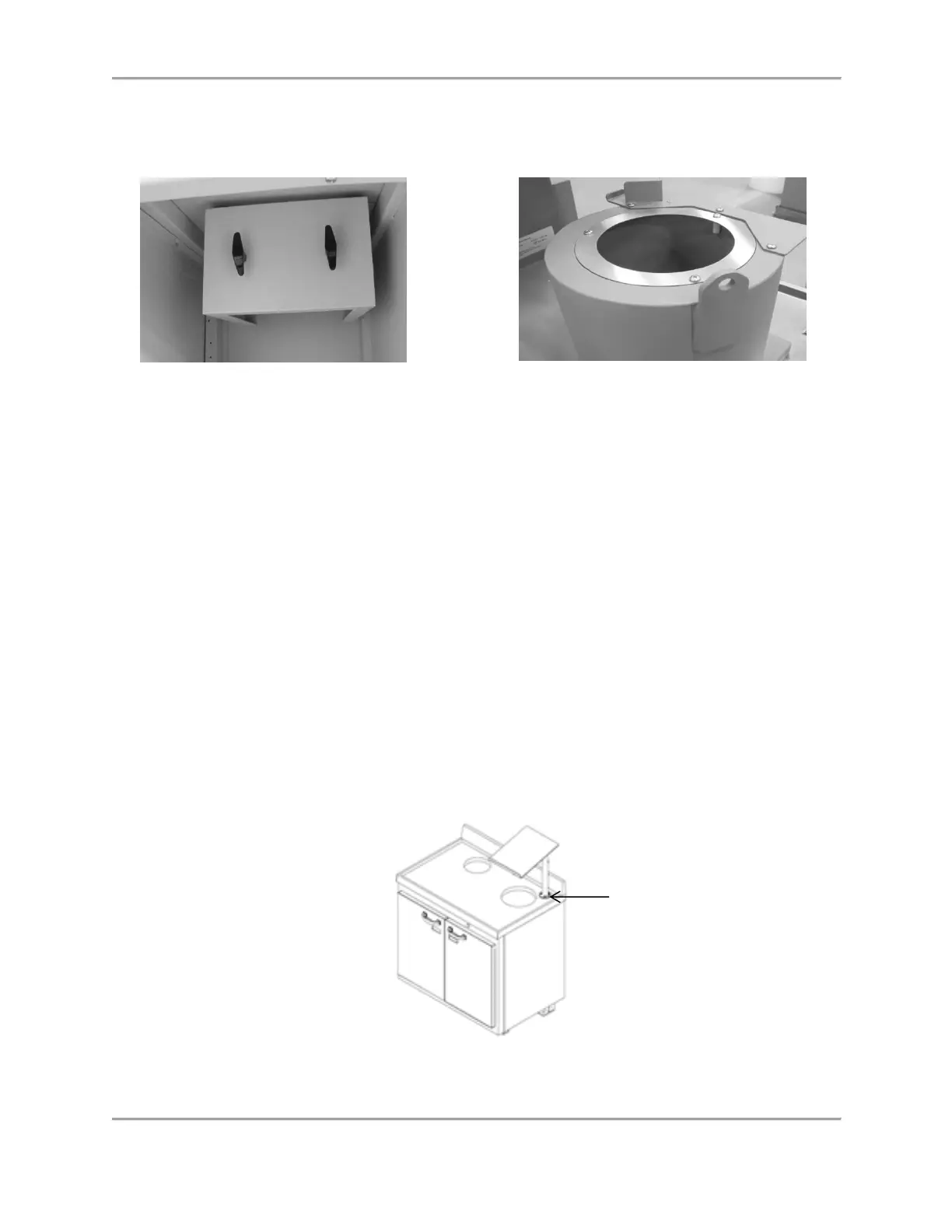
Figure 2.2. Shielded Access Door Beneath L-Block
Shield.
Figure 2.3. Chamber Cover Plate
10. Mount the Access Door (see Figure 2.2) to the front of the Shield noting that there is a hook
on the inside edge of the door. Lift the door up against the face of the shield with the hook
side up and place it into the recess at the top of the shield from which the door hangs.
11. Replace the top left shelf by sliding it back in place.
12. Place the Chamber Cover Plate (see Figure 2.3) onto the top of the chamber.
Installing the Atomlab 500 Dose Calibrator
The Atomlab 500 cabinet is shipped with two shelves: the larger shelf is for the WIN CE display
and the smaller shelf is for the tablet. Both shelves are shipped inside of the cabinet on the
right-hand side. Determine which of the two shelves are to be mounted on the shelf tube and
mount that shelf following the appropriate procedure from the Procedure to Change the Shelf
When Required section.
Installing the Atomlab 500 Dose Calibrator with a WIN CE Display Shelf and Arm:
1. Using a 7/16” wrench, remove the four acorn nuts and flat washers that are used to secure
the Dose Calibrator Display Shelf support post to the countertop. The nuts and flat washers
are found on the threaded studs on the counter top (see Figure 2.4).
2. Place the support arm on the threated studs positioned over the rear, right opening (see
Figure 2.4). The arm should face the front of the cabinet. Place the washers on the studs
and the acorn nuts over the washers. Adjust the arm and tighten the acorn nuts.
Figure 2.4. PET Unit Dose Cabinet Illustrating Positioning of the Support Arm



 To Next Page