"
& & &
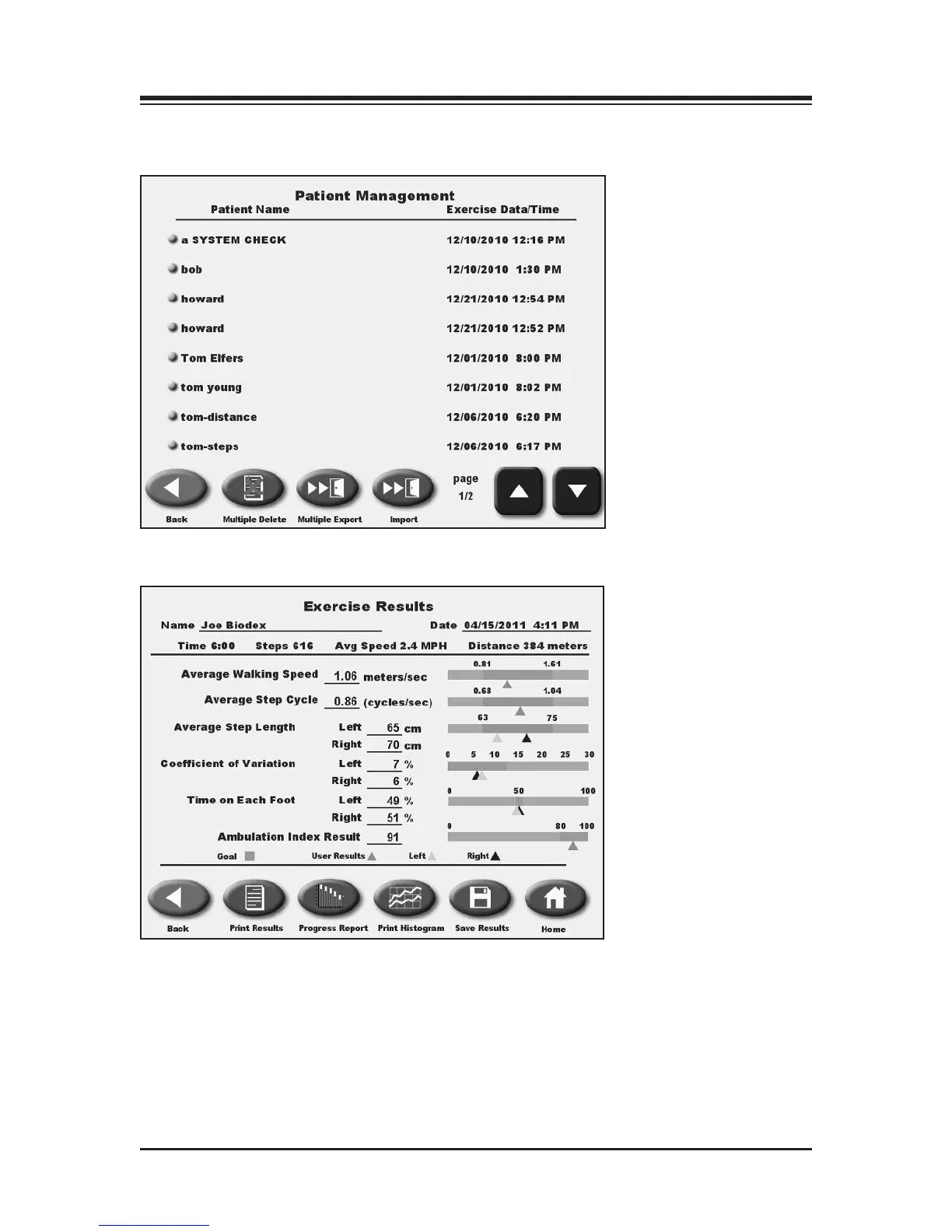
(See Figures 10.4 and 10.5.)
Figure 10.3. The Patient Management screen.
Figure 10.4. The Stored Patient Exercise screen.
To advance to the Patient Management screen from the Utilities Menu, touch <Patient
Management>. Enter 781 at the “Access ID Code” prompt and touch <OK>. The Patient
Management screen should now be displayed.
CONTENTS
GAIT TRAINER UTILITIES — 10-4 —



 To Next Page