Battery Removal and Replacement
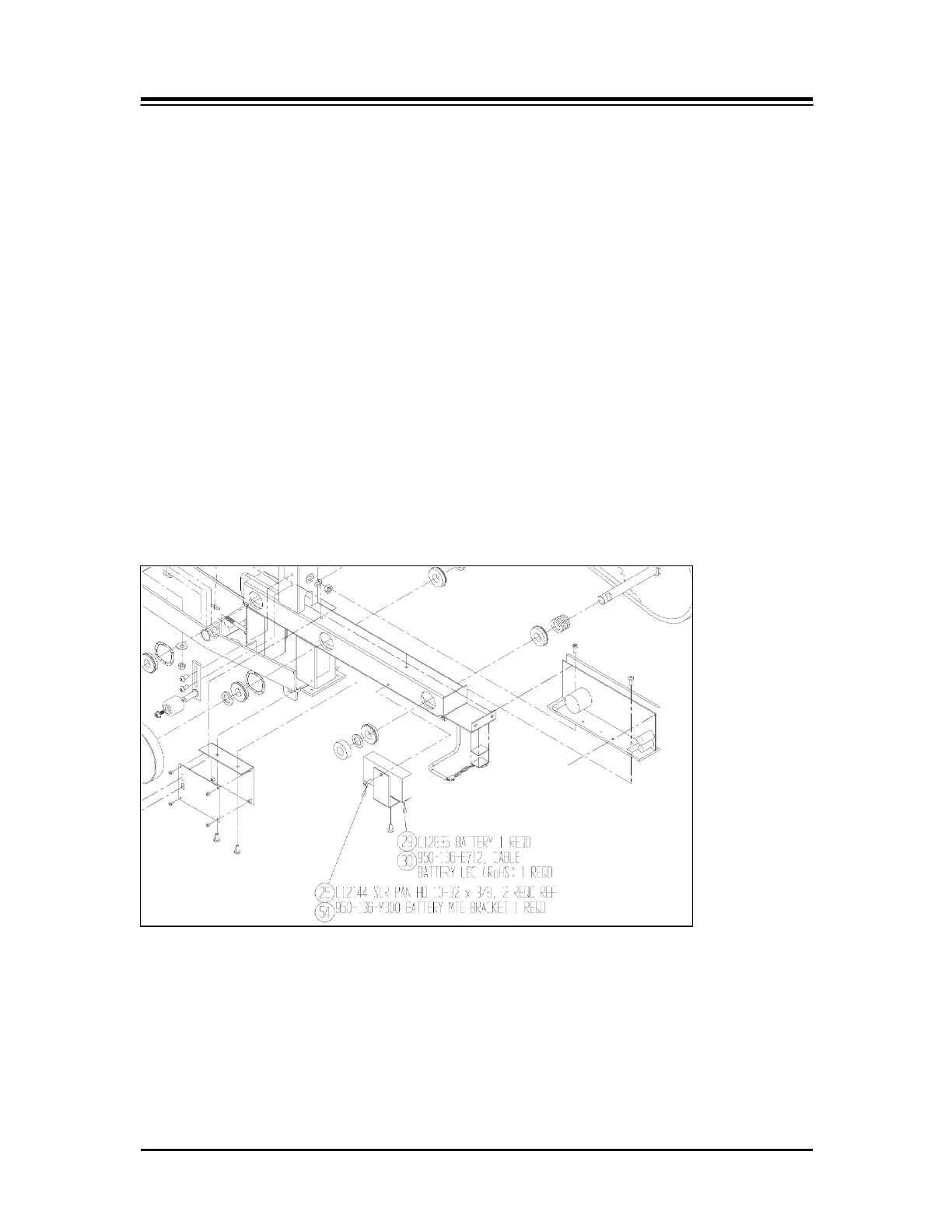
(See Figure 4.)
Tools: Phillips Screwdriver, 10mm Wrench
NOTE: Before proceeding, turn OFF power and ensure power pack is unplugged from outlet.
1. Loosen the left side arm assembly tapered pin nut 10mm. Loosen the nut so that it
is flush with end of threaded end. Tap on threaded end until taper pin releases, and
remove.
2. Slide left side arm assembly off.
3. Remove the 5 Phillips screws securing the left cover and remove.
4. Locate the battery and disconnect the + red and - black connectors.
5. Loosen and remove the securing bracket, which is secured by two Phillips screws.
6. Install new battery by reversing the procedure.
Figure 4. Replacing the battery.
— 21 — SERVICE PROCEDURES



 To Next Page