Biodom 27 A | instructions for use, maintenance and installation | March 2019
25
• Clock- shows time;
• BoilerTemp (boiler temperature);
• FlueGasses (gasses temperature);
• Status (displays boiler status);
• Actual Power (current power of the boiler);
• BackWater (temperature of return water in the boiler);
• ChamberTemp (shows the temperature in the combustion chamber).
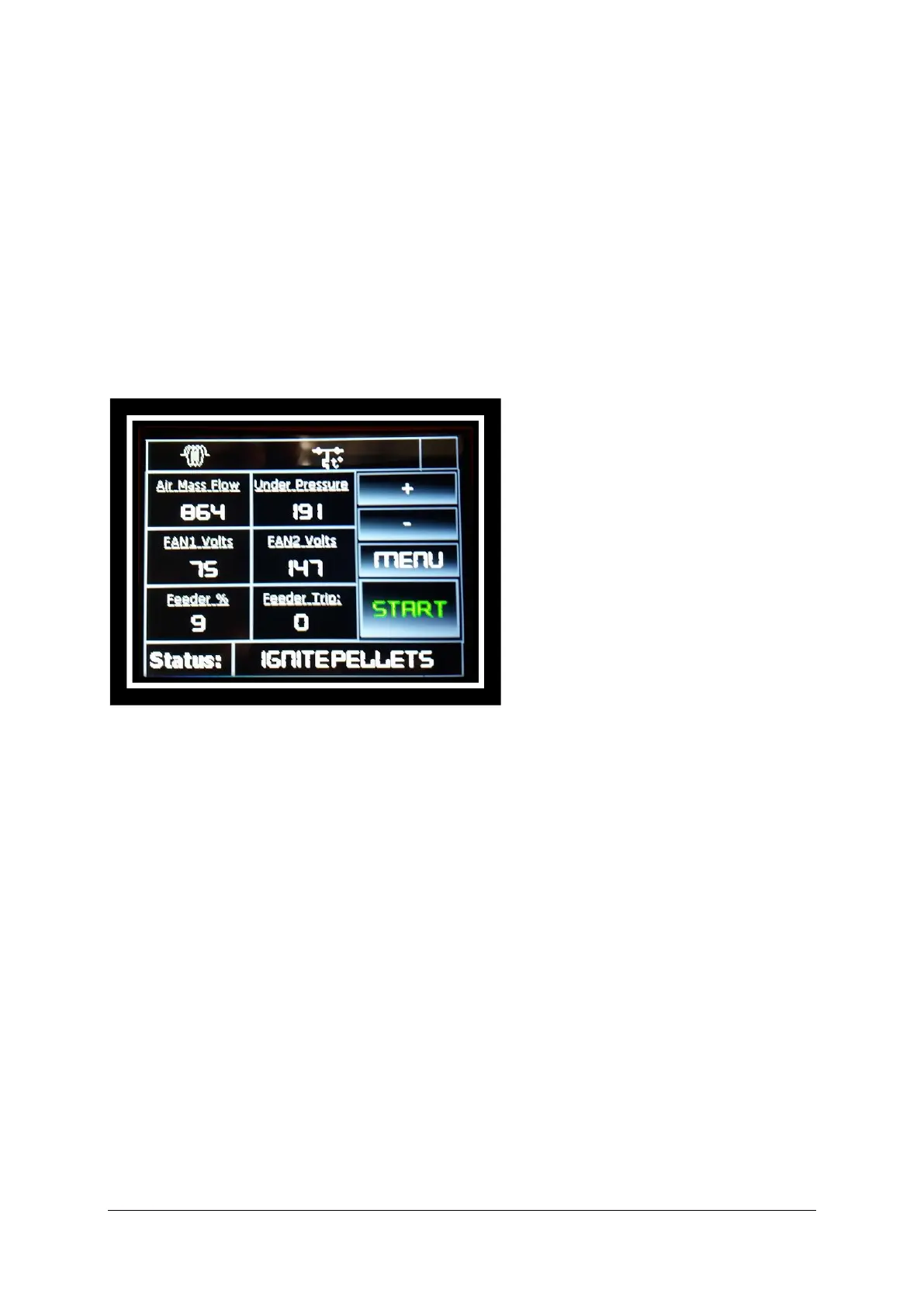
Pressing again on the left side of the screen, it shows:
• Airmass flow (mass of air);
• Fan 1 Volts (first fan voltage);
• Feeder (pelletizer);
• Under Pressure (shows the under pressure in the boiler);
• Fan 2 Volts (displays the voltage of the second fan);
• Feeder Trip
Next pressing the left side of the display opens the following submenu:


 To Next Page