settings within each game to see if vibration is supported.
• The Vibration button only works when connected to a
device.
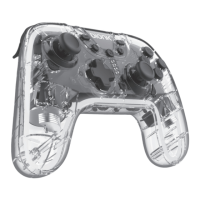
CHARGING THE NEOGLOW CONTROLLER
1. Connect the USB-A end of the included cable into a
powered source.
2. Gently connect the USB-C
®
end of the cable into your
controller. The player indicator LEDs will begin to flash to
indicate the controller is charging.
3. The player indicator LEDs will turn o when the controller
is fully charged.
NOTES:
• The player indicator LEDs will flash when the controller is
low on battery.
• You can use the controller while charging.
• Press the Sync button to turn o the controller.
CARE AND MAINTENANCE
• Keep away from fire, liquids and high temperatures and
always recycle electronics.
• Do not throw or shake.
• Do not operate if it has been subjected to shock or damage.
• Use a soft cloth to clean the exterior. Do not use harsh
chemicals or strong cleaning solvents.
• Keep the controller clear of debris and dust.
• Take care of the cable by avoiding tangles and knots. Avoid
sharp surfaces that can damage or fray the cable. If cable
shows signs of damage, discontinue use.
• Do not attempt to disassemble the product.
• Tampering with the product can result in damage to your
product, void of the warranty and could cause injuries.
• Discontinue use if the product is damaged or you suspect
there is a malfunction. Please contact customer support for
help or additional information.
• Store and operate between 32°F – 113°F.
• Recharge the battery every 3 months when not in use to
keep battery in best condition.
• The internal battery must be recycled or disposed of
properly. Contact your local waste management oce for
information on proper disposal or recycling.
6


 To Next Page