21
20
You can enter the Setting Mode two ways.
1. Replace the Battery
After removing the battery, press the main button several times until there is no signal on screen,
then follow the battery installation steps to replace battery. Blood Glucose Meter will RIGHTEST
perform a self-test. Press the main button to exit the self-test and enter the Setting Mode.
2. With Battery Inserted
Press the main button to turn on lood Glucose Meter. Hold down the main button for RIGHTEST B
7 seconds. During this time the screen will go blank until you hear a beep. After the beep, the
meter will turn on into the Setting Mode. The display screen will show setting data.
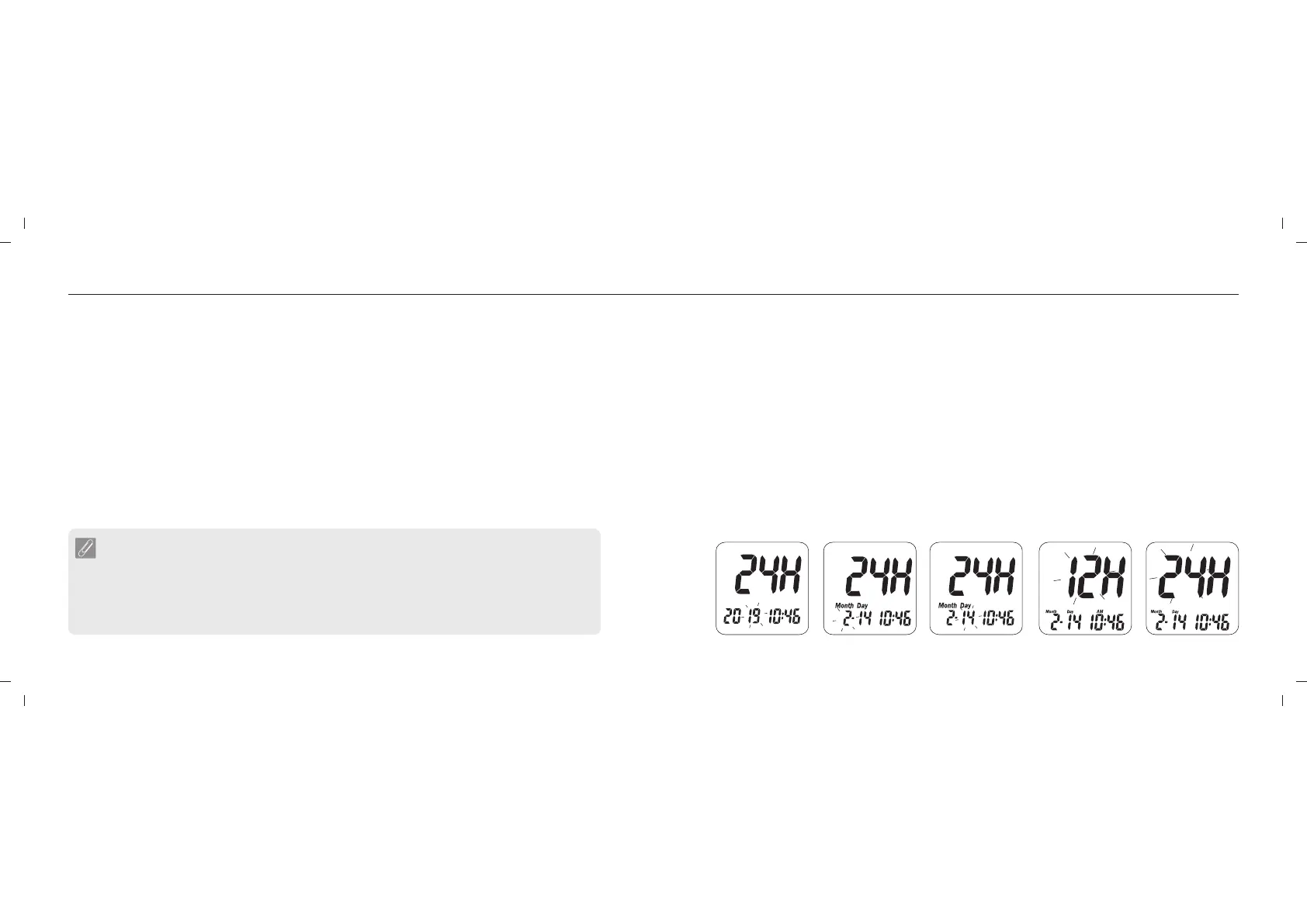
1) 2) 3) 4a) 4b)
NOTE
- Use the Up or Down buttons to select your setting data and press the main button to
confirm each selection. After confirming all of the settings, you will return to the Time
Mode.
- After pressing the main button for 3 seconds, the will turn off its screen. Please meter
keep press the main button until the enter the setup mode.meter
Set Up Your Meter - Set Up the Date, Time and Volume
Set Up Your Meter - Set Up the Date, Time and Volume
1. Year setting
When the year blinks, press the Up or Down button to select the current year and press the main
button to conform the setup.
2. Month setting
When the month blinks, press the Up or Down button to select the current month and press the
main button to conform the setup.
3. Day setting
When the day blinks, press the Up or Down button to select the current date and press the main
button to conform the setup.
4. 12 or 24-hour format setup
When the time format blinks, press the Up or Down button to select the preferable time format
and press the main button to conform the setup.














 To Next Page