2524
NOTE
- When the meter is idle for more than , the meter will leave setting mode and 30 seconds
power off automatically.
- Meter default is set according to your local preference.
Set Up Your Meter - Ketone Reminder
11) 12)
12. Setup complete
After the setup is complete, the meter will beep to notify the user and return to time mode.
Please notice that the meter will only beep when the volume is set to on.
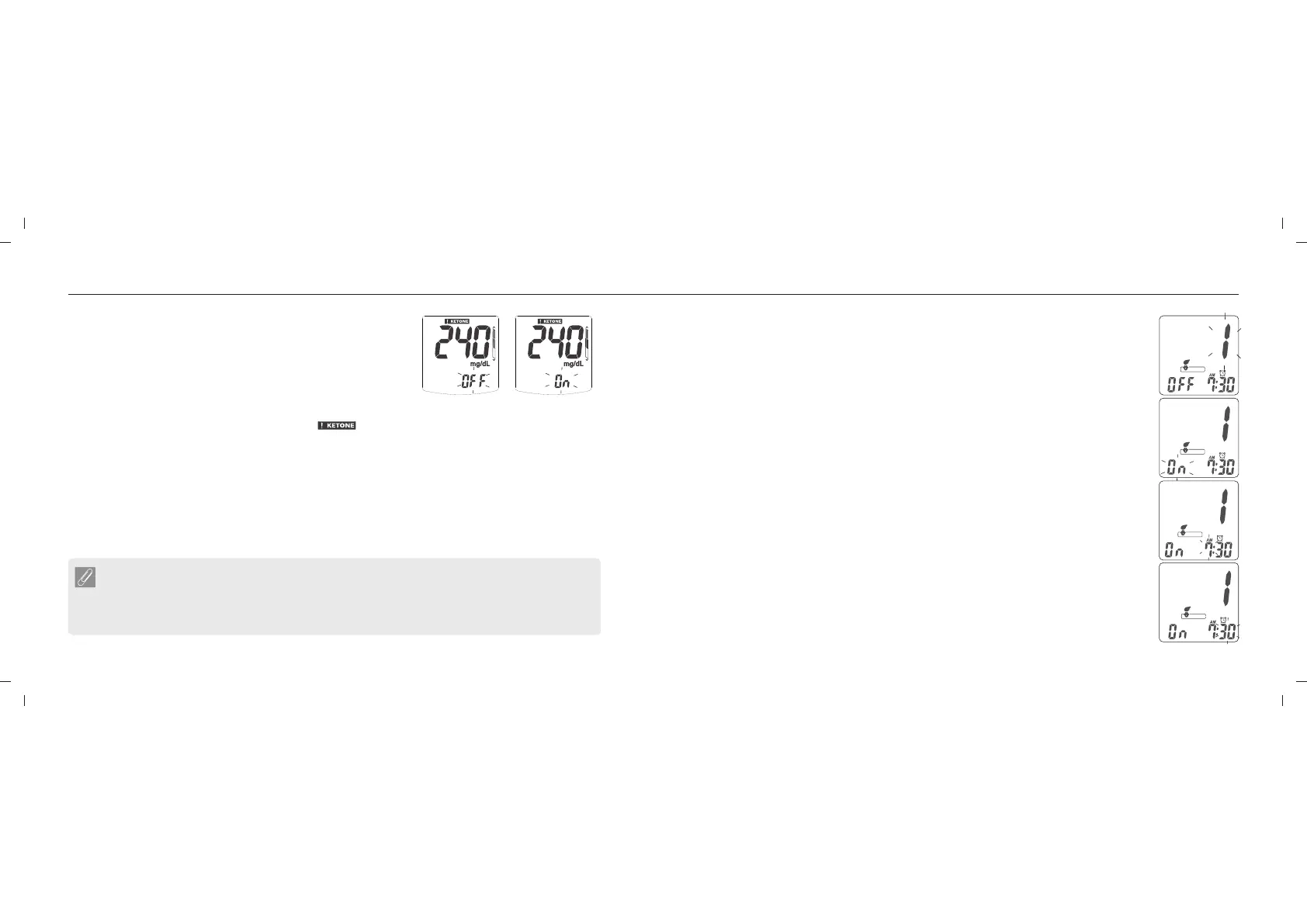
11. Ketone Reminder Setting
Ketone test reminder is default set to off. This is only
recommended for Type 1 diabetes users.
By pressing the up / down button to enable the Ketone
reminder and press the main button to confirm.
If your blood glucose test result is more than 240 mg/dL (13.3 mmol/L), the Ketone test
reminder well appear when it is on. When " " appears, it means that you may need a
ketone test. Please contact your doctor immediately.
Set Up Your Meter - Set Up the Time Alarm
This feature reminds the user when to perform a test. There are 8 sets of alarm
available per day. The meter will beep when the alarm is triggered and it will be
triggered up to 3 times. Insert the test strip or press main button, button will turn
off the alarm. The volume must be set to on so that the meter can beep.
1. Enter the reminder setting function
When the meter is " ON ", long press the up or down button 3 seconds till
entering to time alarm setting.
2. Choose the alarm set
User can set 8 alarms from " 1 " to " 8 ". Choose the number with up or down
button when " 1 " flashing, then press the main button to confirm.
3. Turn on / off the alarm
Choose " On " or " Off " with the up or down button, then press the main
button to confirm.
4. Set the alarm clock
Press the up or down button to adjust when the hour blinking, then press the
main button to confirm. Press the up or down button to adjust when the
minute blinking,then press the main button to confirm .
5. Finish the alarm setting
To finish the alarm setting, hold the main key for few seconds, meter will save
your setting when exit the setting screen.














 To Next Page