32
8.2 Cleaning the system
After the protocol has been executed successfully, the system must be thoroughly cleaned, not only to ensure
your system lasts longer, but most importantly, to eliminate all residues from the fluidic system, that may cause
the system to malfunction, or inadvertently affect the results of future experiments.
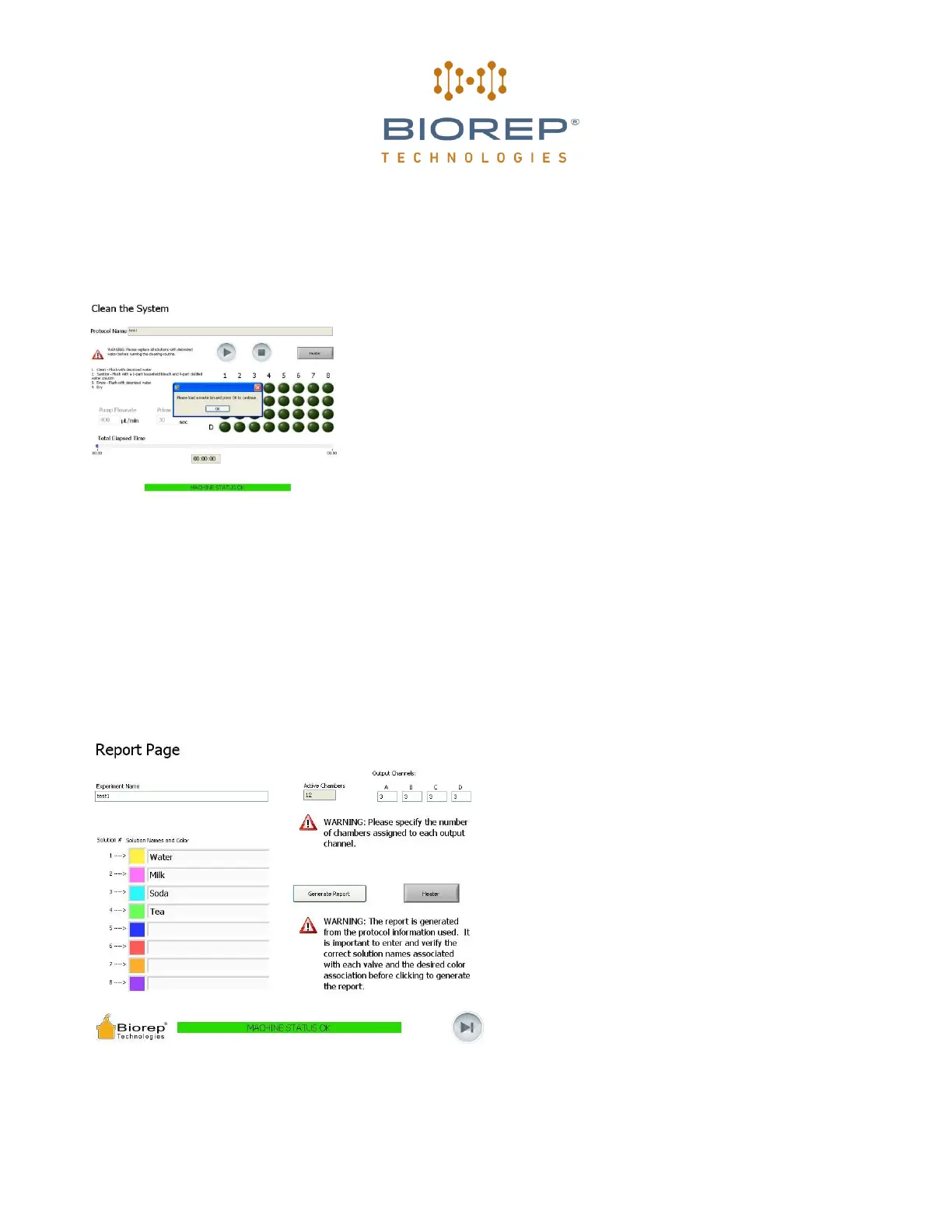
The wizard includes a cleaning step to help you do this in the most
effective manner. Follow the on screen instructions to perform a
thorough cleaning.
The cleaning sequence has 4 steps:
1- Flush with de-ionized water. To do this, take all input tubing to the
manifold and change the source to draw up from a de-ionized water
container.
2- Sanitize with a mixture of 9 parts distilled water and 1 part bleach
based disinfectant*
3- Rinse once more with de-ionized water
4- Dry by drawing air (remove input tubing from the manifold)
Figure 43: Cleaning page
During the cleaning sequence the timing and valve sequence will be done automatically. The wizard will pause
between each of the four steps to give you time to change/remove the sources.
*Example: Current Technologies Bleach-Rite™ Disinfecting Spray with Bleach
9 Report
After the cleaning sequence you will be directed to
the Report page. Fill-in experiment specific
information required to generate the automatic
report:
1. Fill in the Experiment name.
2. Assign unique names to the solutions used in the
experiment. The color key will be used in the report
to generate a map.
3. Assign the number of chambers used for each of
the output channels.
4. Press GENERATE REPORT.
Figure 44: Report page


 To Next Page