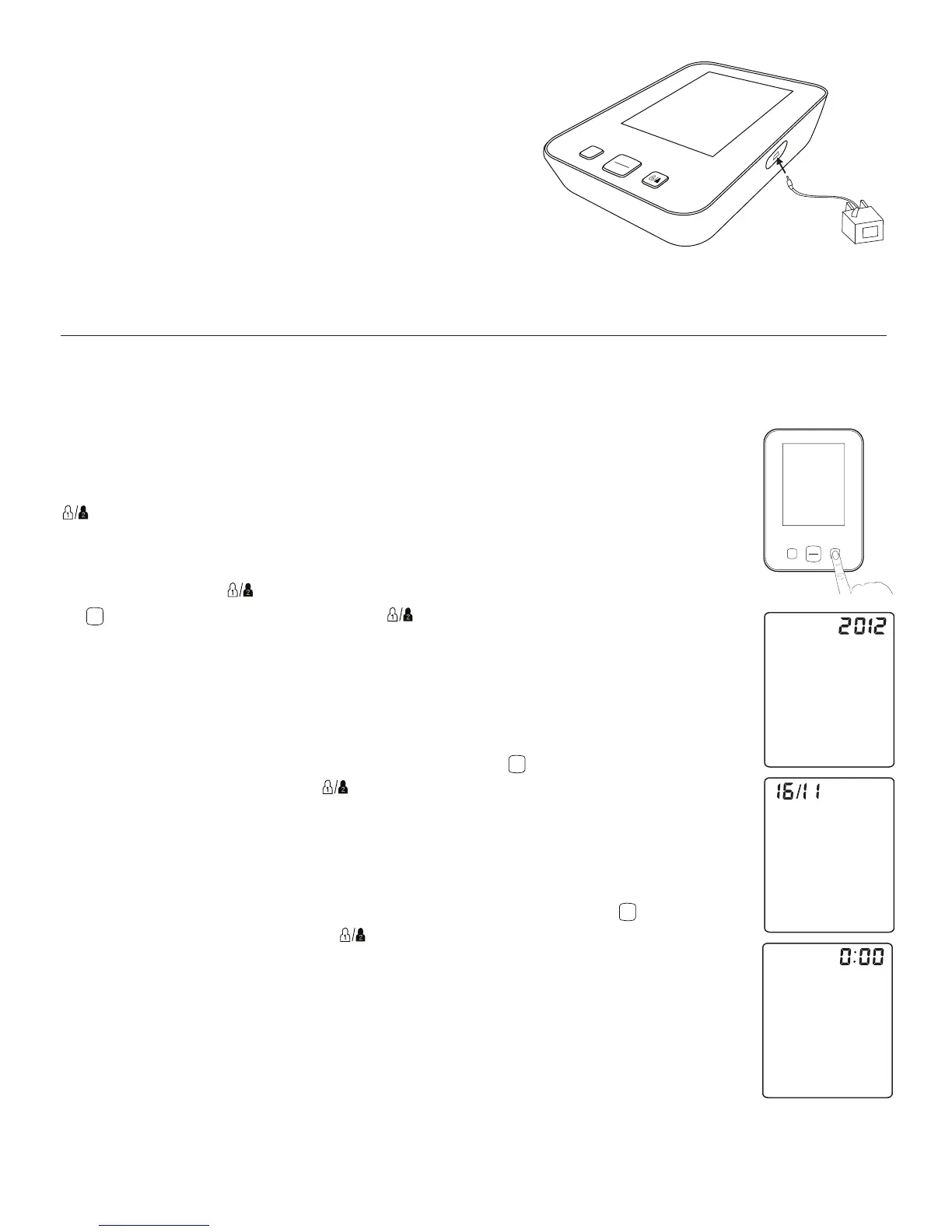
2.4 Using a USB Power Adapter
You may also operate this monitor using a USB adapter.
Please contact the manufacturer for detail.
1. Ensure that the USB adapter and cable are not damaged.
2. Plug the adapter cable into the USB / Adapter port on
the blood pressure monitor.
3. Plug the adapter into your electrical outlet. When
the USB adapter is connected, no battery current is
consumed.
3. Using the Device
This section describes how to get the maximum benefit from your BD215 blood pressure monitor. Follow the
instructions carefully to get an accurate measurement of your blood pressure and pulse rate.
3.1 Setting the Time and Date
When you insert the batteries or USB adapter for the first time the LCD screen will show all
the display elements for 2 seconds. Afterwards it will prompt you to set the current date
and time. You can also adjust the date and time at any time by pressing and holding the
button for over 3 seconds. Follow these steps to set the date and time settings:
1. When you press the
button for over 3 seconds, the year will start flashing. Press the
M
button to adjust the year and press the
button to confirm setting.
2. Next, the screen starts flashing the month setting. Press the
M
button repeatedly to
set the month and then press the
button to confirm the settings. Follow the same
steps to set the date setting.
3. Lastly, the screen starts flashing the hour format values, 12/24 hr. Press the
M
button
to set the format and then press the
button to confirm the settings. Follow the
same steps to set the hour and minute values.
NOTE: When no button is pressed for 1 minute the monitor will return to regular mode
and after 3 seconds turn off.
M
START
STOP
START
M
STOP


 To Next Page