8 | Chapter 2: Hardware installaon
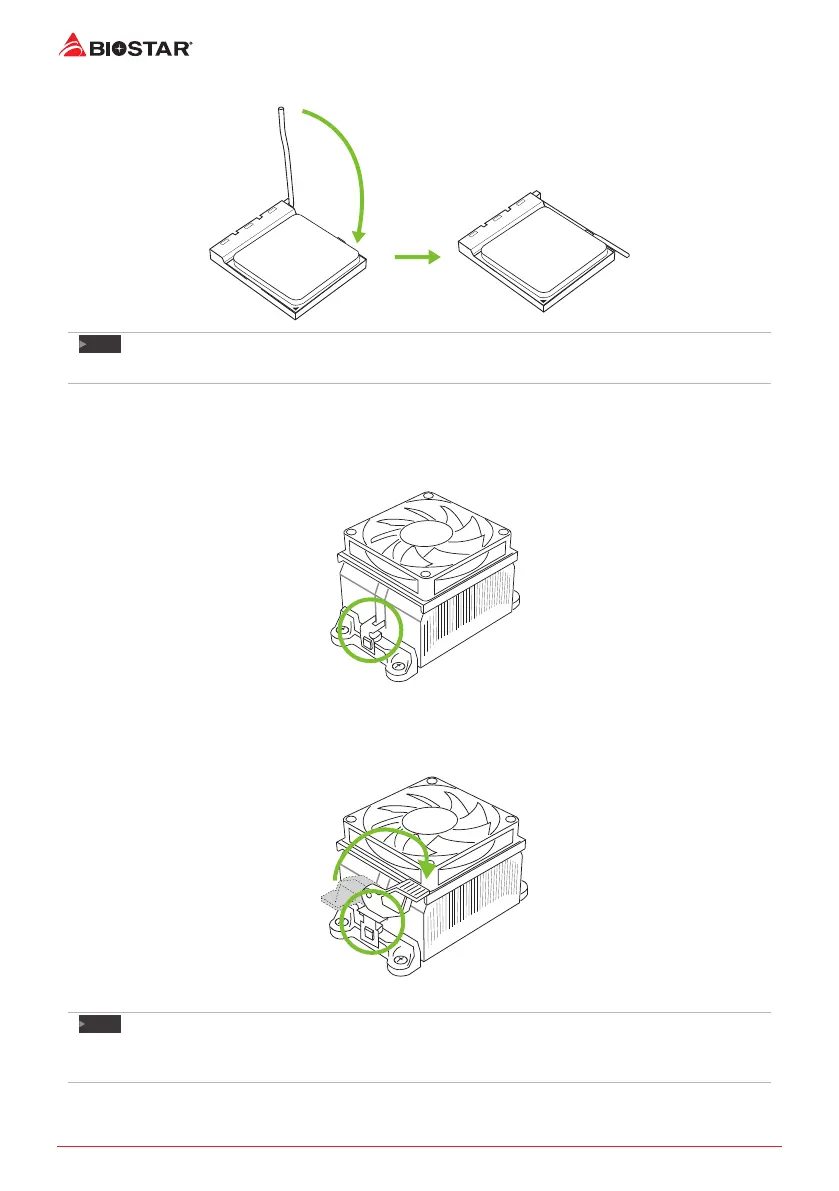
Step 4: Hold the CPU down rmly, and then close the lever to locked the posion
Note
»
PleaseturnothePowerSupplybeforeremovetheCPUsocket.
2.2 Install a Heatsink
Step 1: Place the heatsink and fan assembly onto the retenon frame. Match the heatsink clip
with the socket mounng-lug. Hook the spring clip to the mounng-lug.
Step 2: On the other side, push the retenon clip straight down to lock into the plasc lug on
the retenon frame, and then press down the locker unl it stops.
Note
»
DonotforgettoconnecttheCPUfanconnector.
»
Forproperinstallaon,pleasekindlyrefertotheinstallaonmanualofyourCPUheatsink.




 To Next Page