Chapter 2: Hardware installaon | 9
B760T-SILVER
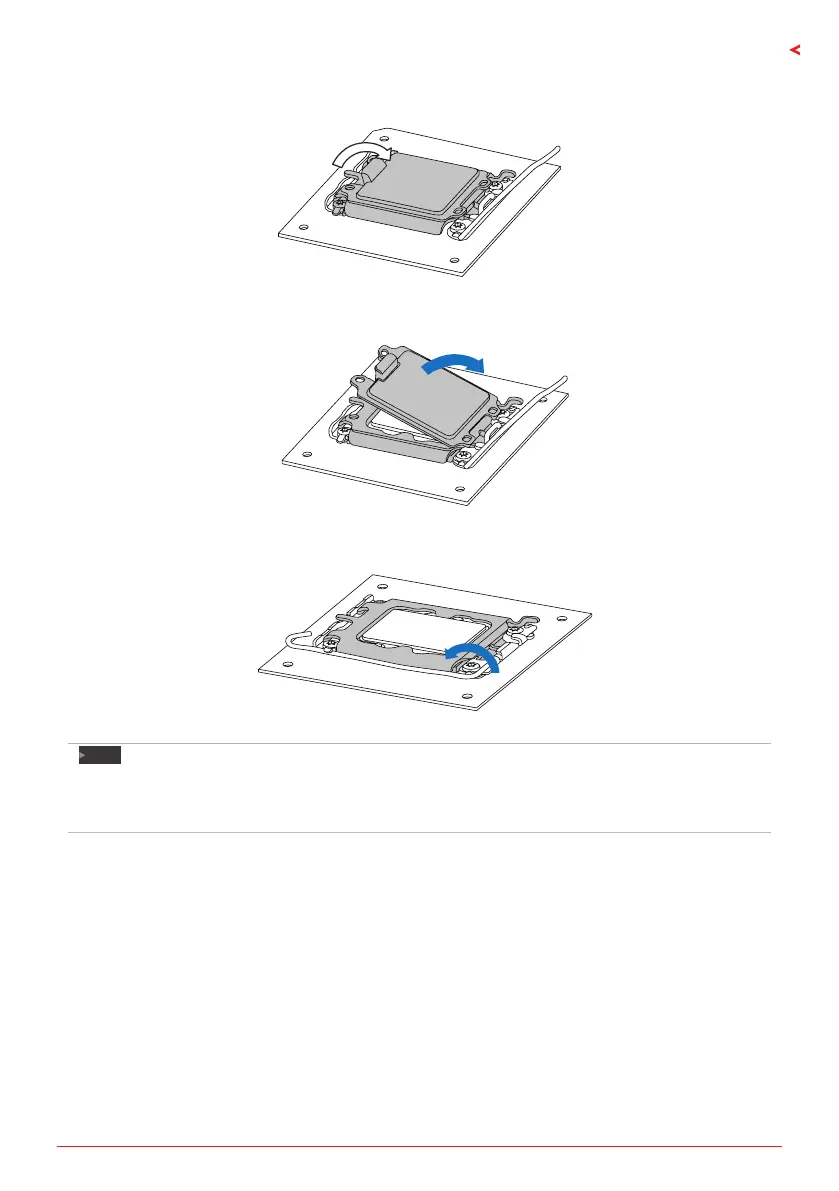
Step 4: Close the load plate.
Step 5: Remove and save cover.
Step 6: Close ILM Lever and latch
Note
»
»
Ensure that you install the correct CPU designed for LGA1700 socket.
»
»
The CPU ts only in one correct orientaon. Do not force the CPU into the socket to prevent
damaging the CPU.







 To Next Page