
 To Next PageTo Next Page
 Need help?
Do you have a question about the Biostar Hi-Fi A70U3P and is the answer not in the manual?
 General
| Brand | Biostar |
|---|---|
| Model | Hi-Fi A70U3P |
| Category | Motherboard |
| Language | English |
Essential preparation and safety guidelines before installing the motherboard.
List of items included in the motherboard package for setup.
Detailed technical specifications of the motherboard components and features.
Identification and function of all external ports on the motherboard's rear panel.
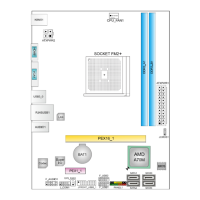
Diagram showing the placement and identification of key motherboard components.
Step-by-step instructions for safely installing the Central Processing Unit (CPU).
Procedure for mounting the CPU heatsink and fan assembly correctly.
Guide to connecting CPU and system cooling fans to motherboard headers.
Instructions for inserting DDR3 DIMM modules into the motherboard slots.
Overview of PCI and PCIe slots for adding expansion cards.
Explanation of jumper settings, including Clear CMOS function.
Details on connecting ATX power supply to motherboard's 24-pin and 4-pin connectors.
Connecting PC case front panel buttons and LEDs to the motherboard header.
Instructions for connecting front panel USB 2.0 and USB 3.0 ports.
Connecting front panel audio jacks and serial port connector.
Overview of the UEFI BIOS setup utility and its configuration options.
Instructions for updating the BIOS using the dedicated utility from the driver DVD.
Steps to update the motherboard BIOS using an internet connection.
Procedure for updating BIOS via USB drive using the built-in BIOSTAR utility.
Guide to installing drivers and bundled software from the motherboard DVD.
Using the eHot-Line utility for tech support by collecting system information.
Guide for installing motherboard drivers after operating system setup.
Interpretation of AMI BIOS beep codes for diagnosing boot issues.
Common system problems and their solutions, including power and boot issues.
Diagnosing and resolving system shutdowns due to CPU overheating.
Explanation of RAID 0 and RAID 1 configurations for storage.
Information on enabling and configuring AMD DUAL Graphics technology.