TA790GX A3+
41
BIOS Update
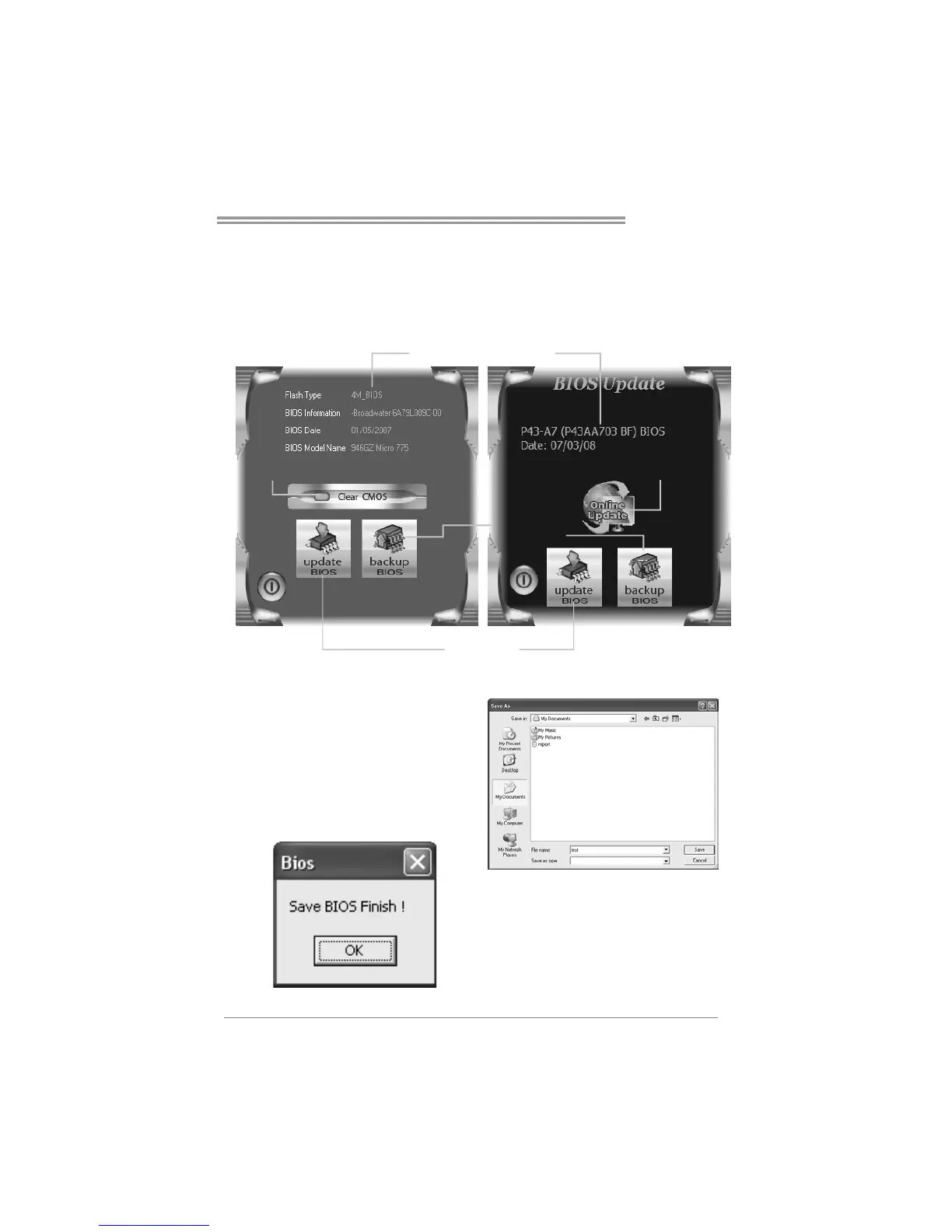
BIOS Update is a convenient utility which allows you to update your
motherboard BIOS under Windows system.
Update BIOS
with a BIOS file
Clear CMOS function
(On ly for AWARD BIOS)
Show current BIOS information
Save current BIOS
to a .bin file
AWARD BIOS AMI BIOS
Online Update function
(Only for AMI BIOS)
<Backup BIOS>
Once click on this button, the saving
dialog will show. Choose the
position to save file and enter file
name. (We recommend that the file
name should be English/number
and no longer than 7 characters.)
Then click Save.
After the saving process, finish
dialog will show. Click on OK to
complete the BIOS Backup
procedure.


 To Next Page
 Loading...