Shenzhen Bigtree Technology Co.,Ltd
23
Eight: Slicer
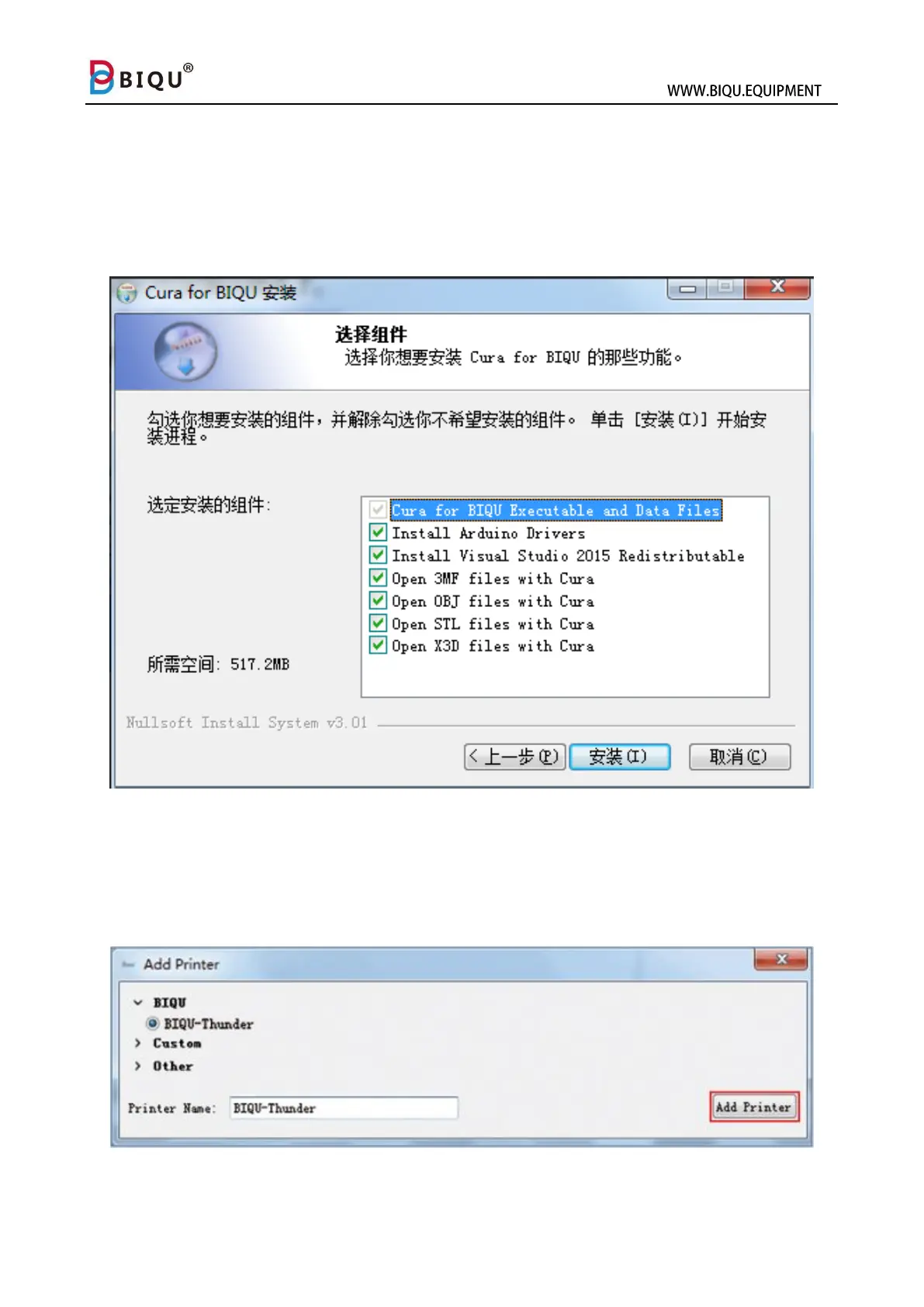
Read SD card and open file “Slice software” and find file “Cura”, and then
double click to install Cura. Check all the components to maximize the
recognizable format range.
Software installed. When you run Cura, you will see a pop-up window,
just click “Add Printer” at the lower right side to finish the Machine
Settings for BIQU-Thunder.



 To Next Page