Shenzhen Bigtree Technology Co.,Ltd
7
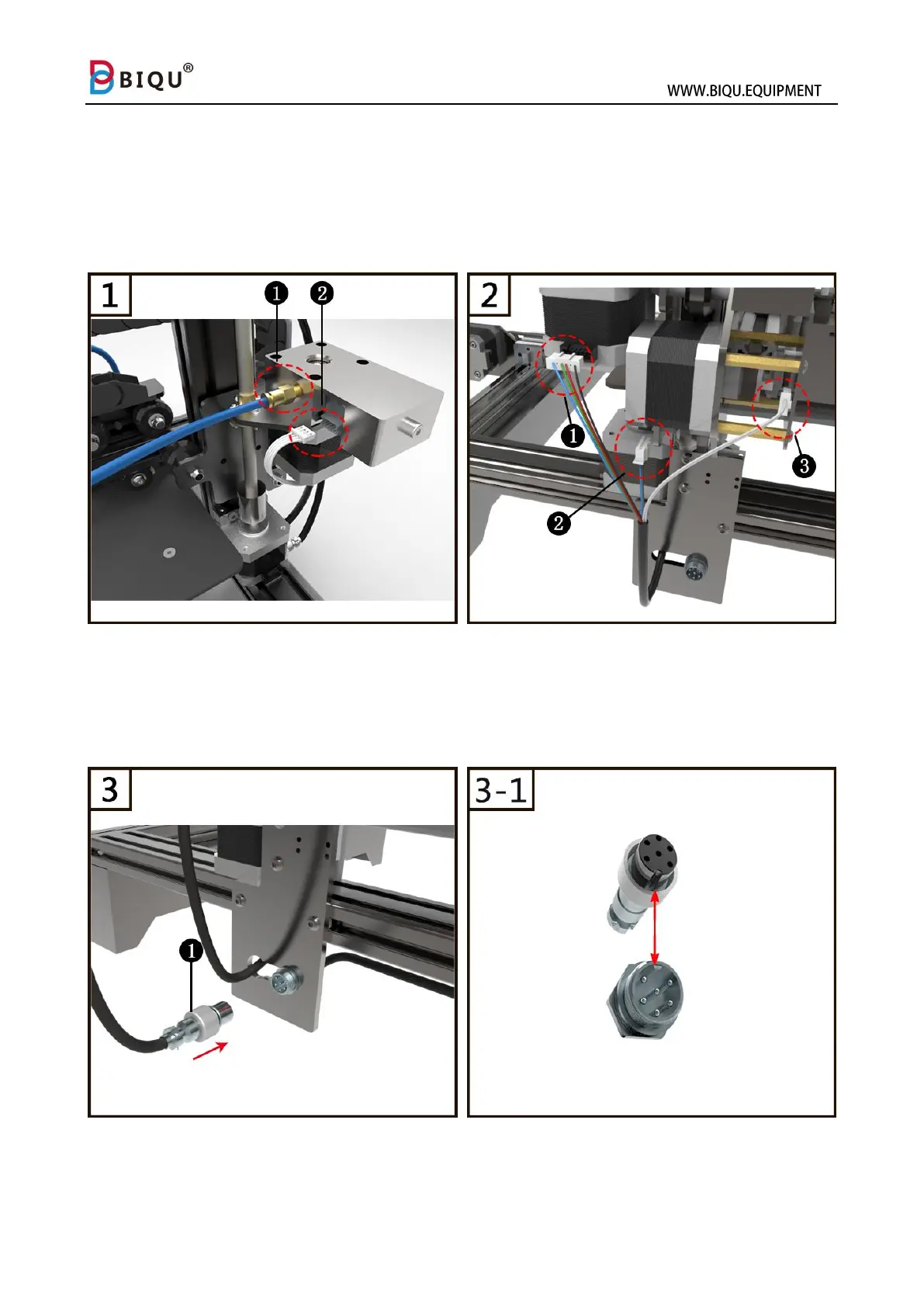
3.2 Machine Wiring
Step one: screw the golden one-touch fitting (1) to the extruder and
connect the filament sensor cable (2) to the extruder.
Step two: connect the extruder cable E0 (1) to the extruder, connect x-
axis stepper cable and limit switch cable to (2) and (3).
Step three: connect the circular connector (1) on to the correct location
showed in the picture, align the connector before plugging in, then fasten
the connector.



 To Next Page