Shenzhen Bigtree Technology Co.,Ltd
29
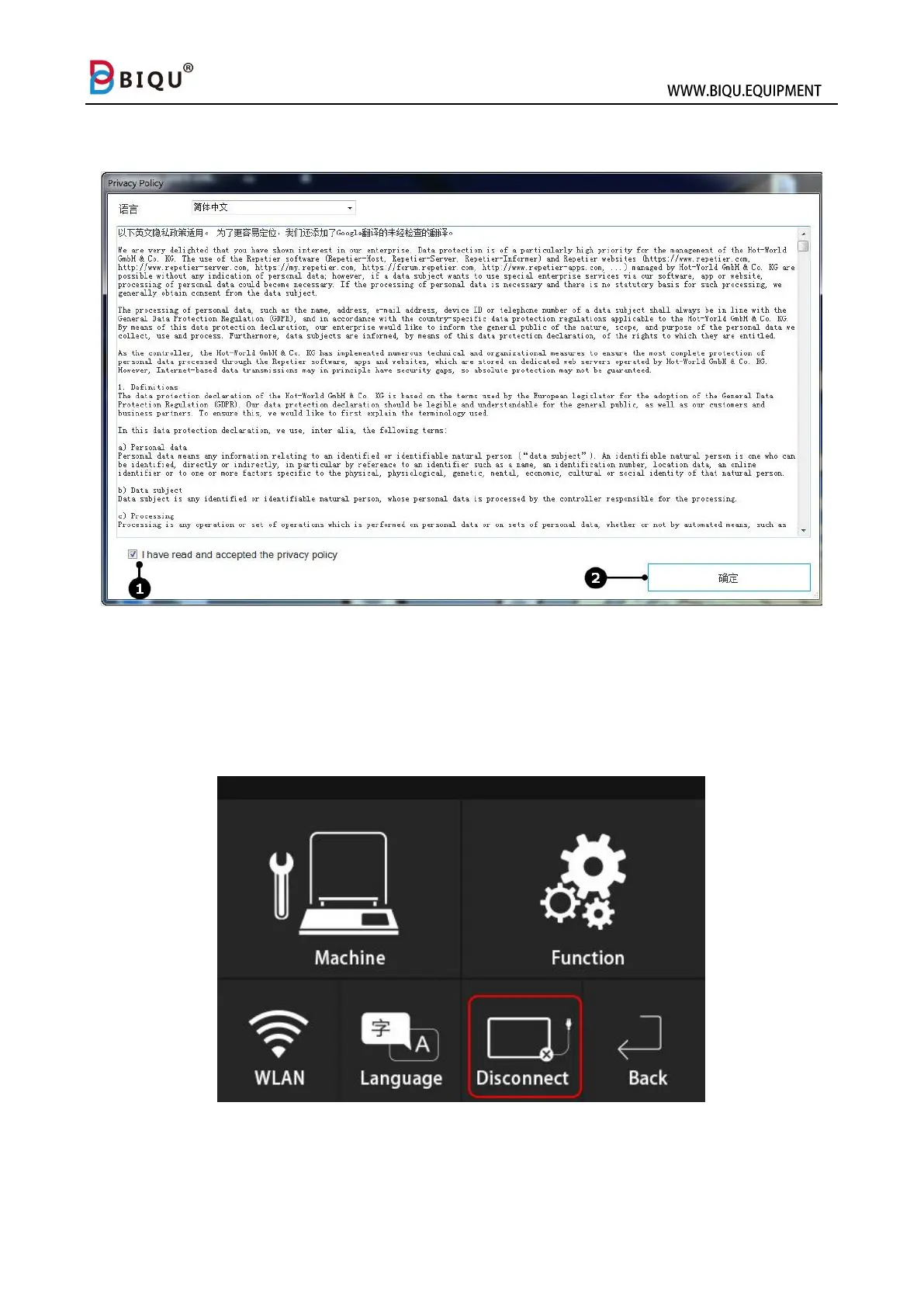
After installation, check the privacy policy (1) check box and click confirm
(2).
9.2 Connect Printer with Repetier-Host
Step one: Press setting on the main interface of your printer and choose
“disconnect” as shown in the picture.



 To Next Page