Shenzhen Bigtree Technology Co.,Ltd
25
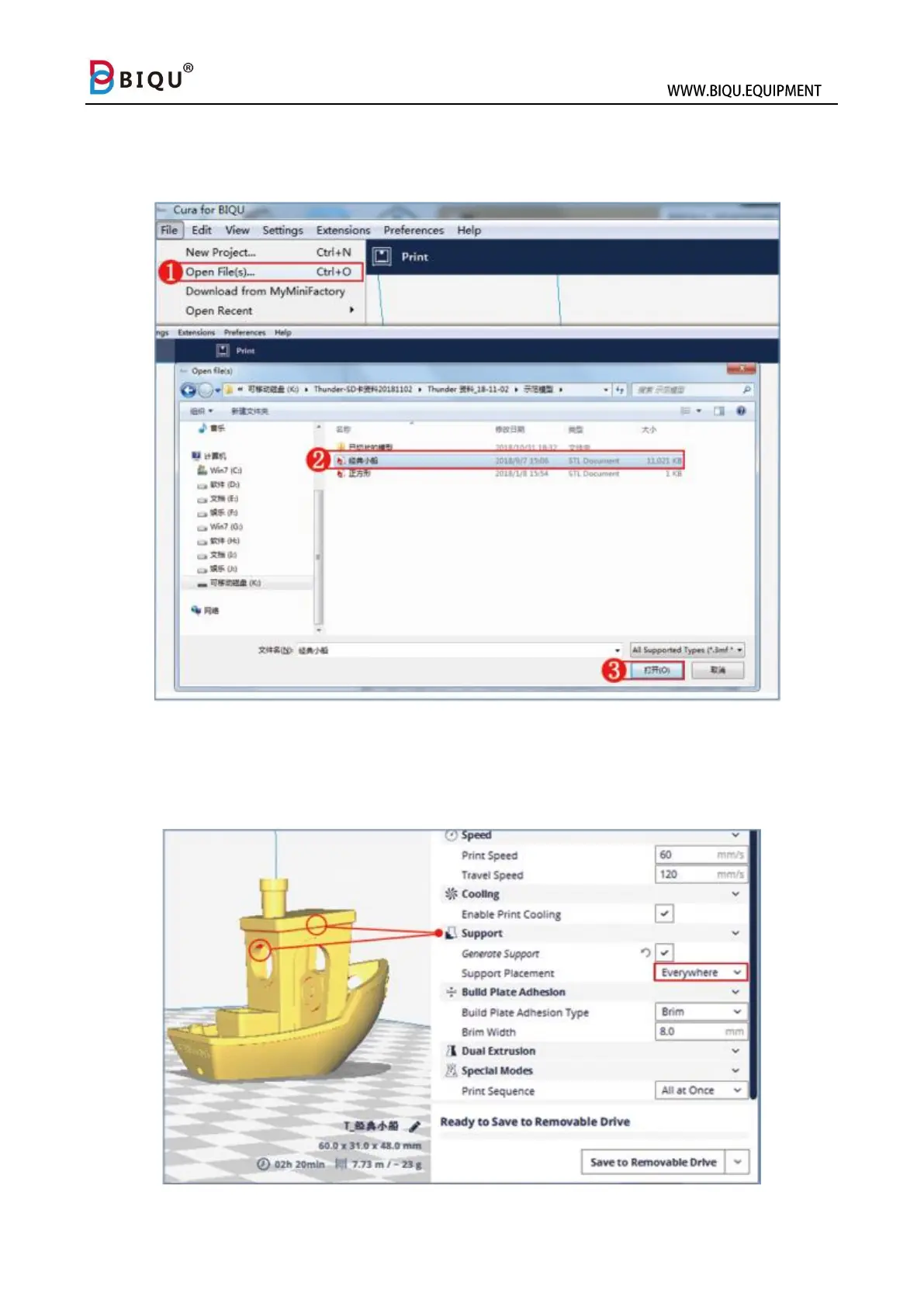
After software is installed, user can import print model file to slice and
generate printable Gcode file. Click “File” icon and choose “Open File” to
import model.
The red area in the model is a notification to add support. Start adding
support by clicking “Support Placement”, and choose “Everywhere”, and
then click “Prepare” to start slicing.



 To Next Page