EasyManua.ls Logo

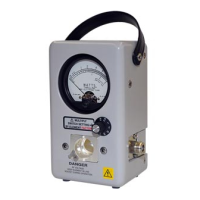
BIRD Thruline 4020 Series - User Manual

BIRD Thruline 4020 Series
65 pages
Print Icon
To Next Page IconTo Next Page
Loading...
Thruline
®
RF Power Meter Model 4421
and
Thruline
®
Directional
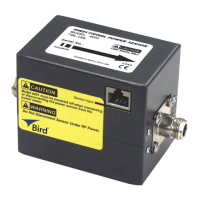
Rf Power Sensors
4020 Series, 4027A Series,
4027F Series, and 4028 Series
Operation Manual
©Copyright 2016 by Bird Electronic Corporation
Instruction Book Part Number 920-4421 Rev W
Thruline
®
is a Registered Trademark
of Bird Electronic Corporation

Table of Contents

Other manuals for BIRD Thruline 4020 Series

Questions and Answers

  • S
    Sharon OchoaAug 7, 2025
    How to troubleshoot a BIRD Measuring Instruments power meter with no power?
    • K
      Katie BrownAug 7, 2025
      If your BIRD Measuring Instruments power meter has no power, check the following: * Ensure the batteries are charged; if not, recharge them. * Verify the AC power cord is connected. * Make sure the ON/OFF rocker switch on the rear panel is set to ON. * If using a Cal Cart, confirm its AC power cord is connected. * Check the fuse rating and replace the fuse if it is blown.
  • V
    virginiamaynardAug 11, 2025
    What to do if the display of my BIRD Thruline 4020 shows dashes moving across the screen?
    • K
      Keith DorseyAug 11, 2025
      If your BIRD Measuring Instruments power meter displays dashes moving across the screen, ensure the sensor cable is properly connected to both the power meter and the power sensor. If the cable is connected correctly, the cable might be defective, so replace it.
  • K
    Kim NielsenAug 16, 2025
    Why is the IEEE-488 Interface on my BIRD Measuring Instruments not responding?
    • J
      Jackie PetersenAug 16, 2025
      If the IEEE-488 Interface of your BIRD Measuring Instruments does not respond, verify that the address in the interface program matches the address setting on the DIP switches of the interface module. If they don't match, change either the program or the DIP switch setting to ensure they are the same. Check if the power meter fails the self-test. If it does, replace the I/O hub PCB. Also, verify the IEEE cable is not defective and replace it if necessary.
  • V
    Valerie TaylorAug 19, 2025
    What to do if the RS-232 Interface on my BIRD Measuring Instruments fails to respond?
    • D
      David DavidsonAug 20, 2025
      If the RS-232 Interface of your BIRD Measuring Instruments does not respond and fails the J0 self-test command, ensure the DIP switches are set correctly. If the switches are correctly set, the RS-232 cable may be defective; replace it with a new one.
  • B
    Beth TorresAug 25, 2025
    Why does my BIRD Thruline 4020 power meter turn off while on battery power?
    • L
      Larry OliverAug 25, 2025
      If your BIRD Measuring Instruments power meter turns off while on battery power, and the display shows “LO BAT”, recharge the battery. If “LO BAT” is not displayed, the meter should be returned for service.
  • S
    Sean RiveraAug 28, 2025
    What does it mean if my BIRD Thruline 4020 Measuring Instruments power meter displays 'TALK' with RS-232 but doesn't operate correctly?
    • T
      Tina AndrewsAug 28, 2025
      If, with the RS-232, the power meter displays “TALK” but does not operate as expected, verify that DIP switch 2 is set to ON for “talk/listen” operation or OFF for “talk always”. Also, ensure DIP switch 1 is set as indicated.
  • D
    Daniel NelsonSep 2, 2025
    What should I do if the display on my BIRD Thruline 4020 Measuring Instruments is blank or not updating?
    • K
      Keith BryantSep 2, 2025
      If the display of your BIRD Measuring Instruments is blank or not updating, and the batteries have not been charged, recharge the battery. If the batteries are charged, return the meter for service.

BIRD Thruline 4020 Series Specifications

General IconGeneral
BrandBIRD
ModelThruline 4020 Series
CategoryMeasuring Instruments
LanguageEnglish

Related product manuals