EasyManua.ls Logo

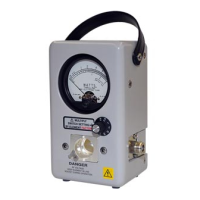
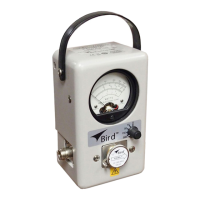
BIRD THRULINE 4421 - User Manual

BIRD THRULINE 4421
65 pages
Print Icon
To Next Page IconTo Next Page
Loading...
Thruline
®
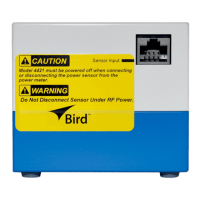
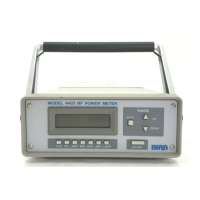
RF Power Meter Model 4421
and
Thruline
®
Directional
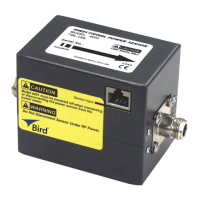
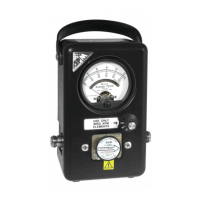
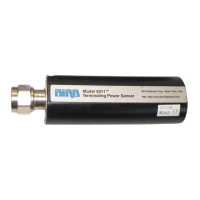
Rf Power Sensors
4020 Series, 4027A Series,
4027F Series, and 4028 Series
Operation Manual
©Copyright 2016 by Bird Electronic Corporation
Instruction Book Part Number 920-4421 Rev W
Thruline
®
is a Registered Trademark
of Bird Electronic Corporation

Table of Contents

Other manuals for BIRD THRULINE 4421

Questions and Answers

  • C
    carpentersuzanneJul 31, 2025
    How to troubleshoot a BIRD THRULINE 4421 Measuring Instruments power meter with no power?
    • A
      April FergusonJul 31, 2025
      If your BIRD Measuring Instruments power meter has no power, check the following: * Ensure the batteries are charged; if not, recharge them. * Verify the AC power cord is connected. * Make sure the ON/OFF rocker switch on the rear panel is set to ON. * If using a Cal Cart, confirm its AC power cord is connected. * Check the fuse rating and replace the fuse if it is blown.
  • N
    npriceAug 5, 2025
    What to do if the display of my BIRD THRULINE 4421 shows dashes moving across the screen?
    • E
      Edward Young MDAug 5, 2025
      If your BIRD Measuring Instruments power meter displays dashes moving across the screen, ensure the sensor cable is properly connected to both the power meter and the power sensor. If the cable is connected correctly, the cable might be defective, so replace it.
  • P
    pamelawilsonAug 9, 2025
    Why is the IEEE-488 Interface on my BIRD Measuring Instruments not responding?
    • D
      Donald HendersonAug 9, 2025
      If the IEEE-488 Interface of your BIRD Measuring Instruments does not respond, verify that the address in the interface program matches the address setting on the DIP switches of the interface module. If they don't match, change either the program or the DIP switch setting to ensure they are the same. Check if the power meter fails the self-test. If it does, replace the I/O hub PCB. Also, verify the IEEE cable is not defective and replace it if necessary.
  • J
    Justin GloverAug 13, 2025
    What to do if the RS-232 Interface on my BIRD THRULINE 4421 fails to respond?
    • K
      Kevin FosterAug 13, 2025
      If the RS-232 Interface of your BIRD Measuring Instruments does not respond and fails the J0 self-test command, ensure the DIP switches are set correctly. If the switches are correctly set, the RS-232 cable may be defective; replace it with a new one.
  • T
    Timothy OwensAug 17, 2025
    Why does my BIRD Measuring Instruments power meter turn off while on battery power?
    • T
      Tricia AlexanderAug 17, 2025
      If your BIRD Measuring Instruments power meter turns off while on battery power, and the display shows “LO BAT”, recharge the battery. If “LO BAT” is not displayed, the meter should be returned for service.
  • B
    bryan26Aug 21, 2025
    What does it mean if my BIRD Measuring Instruments power meter displays 'TALK' with RS-232 but doesn't operate correctly?
    • R
      Robert VillarrealAug 21, 2025
      If, with the RS-232, the power meter displays “TALK” but does not operate as expected, verify that DIP switch 2 is set to ON for “talk/listen” operation or OFF for “talk always”. Also, ensure DIP switch 1 is set as indicated.
  • G
    Gabrielle WareAug 27, 2025
    What should I do if the display on my BIRD THRULINE 4421 is blank or not updating?
    • T
      Tom RobertsAug 27, 2025
      If the display of your BIRD Measuring Instruments is blank or not updating, and the batteries have not been charged, recharge the battery. If the batteries are charged, return the meter for service.

Summary

Safety Precautions

Chapter 1 Introduction

Power Meter

Introduces the Bird 4421 RF Power Meter and its system components.

Power Sensors

Chapter 2 Installation

Sensor Connection

Instructions for connecting the power sensor cable to the meter.

RF Line Connection

Procedures for connecting the RF source and load to the sensor.

115;230 V AC Input Power

Details how the meter operates on different AC voltages and fuse requirements.

Batteries

Information on the rechargeable batteries used in the power meter.

Chapter 3 Operating Instructions

Push Button Functions

Explains the function of each push button on the Bird 4421 Power Meter.

Error Codes

Describes error codes displayed by the meter and their meanings.

Chapter 4 IEEE-488 GPIB Interface

Interface Capabilities

Lists the IEEE-488 interface module capabilities supported by the device.

Remote Enable (REN)

Command to enable remote operation of the unit.

Device Clear (DCL)

Resets devices to an initialized state and returns the 4421 to factory defaults.

Serial Polling Enable;Disable (SPE;SPD)

Enables or disables the serial polling sequence for status requests.

Chapter 5 RS-232 Interface

Description

Overview of the Bird 4421's RS-232 interface features and setup.

Setup

Instructions for configuring the RS-232 interface using DIP switches.

Auto Baud

Procedure for automatically determining the RS-232 transmission rate.

Command Syntax

Explains the structure of commands used with the RS-232 interface.

General Bus Commands

Lists general bus commands for RS-232 interface.

Initialize (INT)

Resets the Bird 4421 to factory defaults via RS-232.

Enter (ENT)

Command to make the power meter transmit a reading to the controller.

Baud Select (Bx)

Command to select a specific baud rate for the RS-232 interface.

Device Dependent Commands

Lists commands specific to the 4421 for RS-232 communication.

Chapter 6 Maintenance

BIRD THRULINE 4421 Specifications

General IconGeneral
BrandBIRD
ModelTHRULINE 4421
CategoryMeasuring Instruments
LanguageEnglish

Related product manuals