10
Dashboard
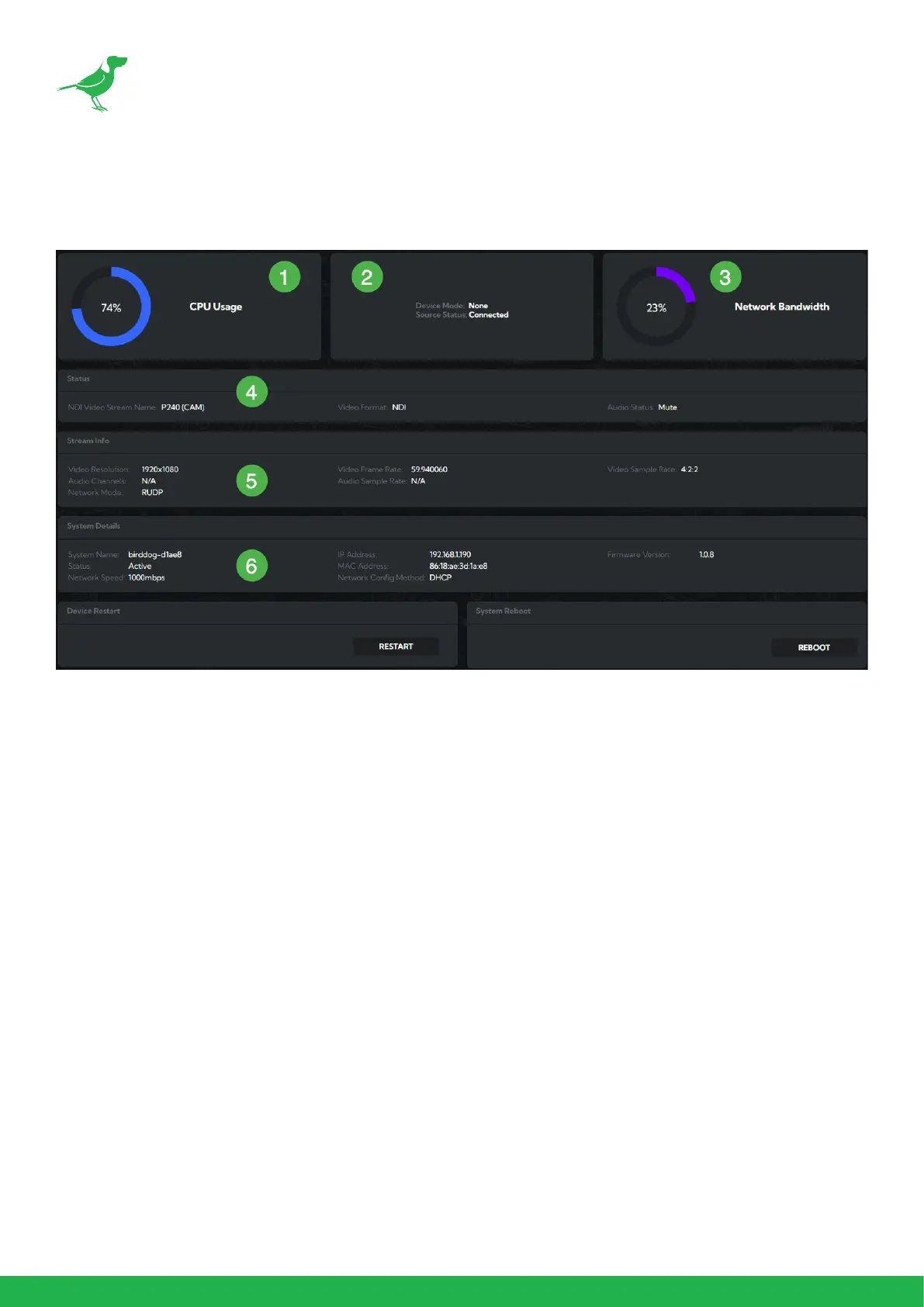
The Dashboard summarizes important settings and system information in one convenient location.
1. CPU Usage
Current computer system CPU utilization.
2. Device mode
PLAY is always in Decode mode. Source Status
indicates whether the selected source is avail-
able
3. Network Bandwidth
Total network bandwidth consumption of the
current device NDI® output.
4. Status
a. NDI Video Stream Name.
b. Selected video format.
c. NDI® audio status, as congured.
5. Stream Info
a. Video resolution.
b. Number of audio channels of the camera.
c. Video frame rate.
d. Number of Audio Channels.
e. The audio output sample rate of the camera.
f. Average bitrate.
g. Genlock status.
h. Network mode.
6. System Details.
a. PLAY name.
b. IP Address.
c. Current PLAY Firmware version.
d. MCU version.
e. MAC address.
f. Preferred network conguration method.
g. Active Status
h. Network speed.


 To Next Page