EasyManua.ls Logo

Bissell 2390 Series - User Manual

Bissell 2390 Series
29 pages
Print Icon
To Next Page IconTo Next Page
Loading...
User Manual of Product 1:
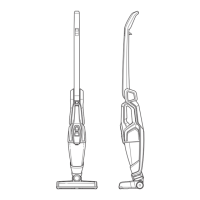
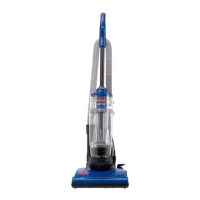
Bissell 1984 Air Ram Cordless Vacuum
User Manual of Product 2:
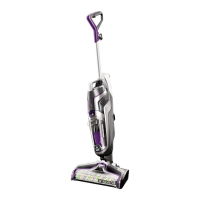
Bissell Pet Hair Eraser Lithium Ion Cordless Hand Vacuum,
Purple

Other manuals for Bissell 2390 Series

Questions and Answers

  • L
    Lindsey WatersJul 30, 2025
    Why is the suction so low on my Bissell 2390?
    • J
      Julia GreeneJul 30, 2025
      There might be several reasons for low suction in your Bissell Vacuum Cleaner. First, the dirt tank may be full, so you should empty it. Second, the dirt tank might not be installed correctly; make sure to position it correctly and snap it firmly into place. Also, the filters may need cleaning, or replacing (in this case visit BISSELL.com to order replacement filters). The battery may also need charging. Finally, there might be a clog in the tool. If so, remove the tool from the vacuum and clear any debris from both ends.
  • K
    Karina OrrAug 9, 2025
    What to do if my Bissell 2390 won’t charge?
    • A
      Anthony BrownAug 9, 2025
      If your Bissell Vacuum Cleaner won’t charge, ensure the hand vacuum is in the OFF position. Also, make sure you are using the correct charger that comes with the machine. The correct charger model number is listed on the white warning label on the hand vacuum.
  • P
    Paul RichardsonAug 19, 2025
    Why is dirt escaping from my Bissell 2390?
    • H
      Heather GonzalezAug 19, 2025
      If you see dirt escaping from your Bissell Vacuum Cleaner, it could be that the dirt tank is full, so you should empty it. Another possible reason is that the filter is missing or installed incorrectly, so check the filter for correct installation.

Summary

Important Safety Instructions

Personal Safety

Guidelines for safe storage, responsible use, and avoiding hazards.

Electrical Safety

Rules for safe use of chargers and electrical components.

Battery Safety

Service Information

Intended Use

Whats in the Box

Assembly

Operation

Storing Your AirRam

Battery Charging

Emptying the Dirt Bin

Cleaning the Filters

Replacing the Filters

Removing and Cleaning the Brush Roll

Product Care

Trouble Shooting

Warranty

Service and Support

Bissell 2390 Series Specifications

General IconGeneral
BrandBissell
Model2390 Series
CategoryVacuum Cleaner
LanguageEnglish

Related product manuals