EasyManua.ls Logo

Bissell POWERFORCE HELIX - User Manual

Bissell POWERFORCE HELIX
12 pages
Print Icon
To Next Page IconTo Next Page
Loading...
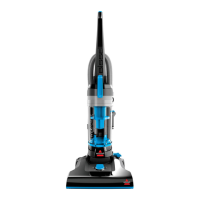
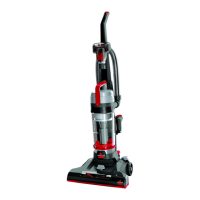
POWERFORCE
®
HELIX
Vacuum
___________
USER GUIDE
1700 & 1701 SERIES
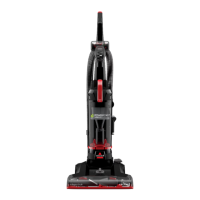
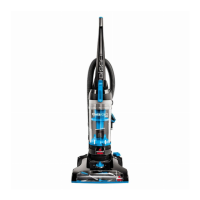
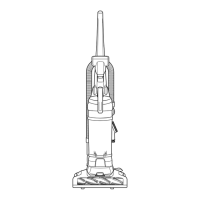
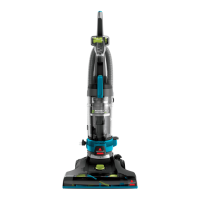
(Model 1701 Shown)

Questions and Answers

  • F
    fisherjulieAug 8, 2025
    How to fix a Bissell Vacuum Cleaner that won’t run?
    • M
      Mikayla SantosAug 8, 2025
      If your Bissell Vacuum Cleaner isn’t running, there are a couple of things to check: First, make sure the power cord is properly plugged into the electrical outlet. Second, check your home's fuse or breaker. If a fuse is blown, replace it. If a breaker is tripped, reset it.
  • M
    Melody RobertsAug 19, 2025
    What to do if my Bissell POWERFORCE HELIX Vacuum Cleaner won't pick up dirt?
    • F
      Frank YangAug 19, 2025
      There are several reasons why your vacuum might not be picking up dirt. Start by emptying the dirt container if it's full. Then, check the filter and clean or remove any debris. Make sure the hose and dirt container are securely in place, listening for a click. Inspect the air passageway, hose inlet, and hose for clogs. Also, check the rotating power brush drive belt for damage and replace if needed. Examine the floor brush for worn bristles or jams; clean or replace as necessary.
  • A
    Amanda JonesOct 29, 2025
    Why won't my Bissell POWERFORCE HELIX pick up dirt?
    • D
      David RobinsonOct 29, 2025
      Several factors can cause this. The dirt container might be full, so empty it. The filter could be dirty, so check it and remove any debris or clean it. The hose might not be secure; ensure it's snapped into place at both ends. The dirt container might not be properly in place; remove it and secure it until you hear a click. There could be a clog in the vacuum path; visually inspect the air passageway, hose inlet, and hose for obstructions and carefully remove them. The rotating power brush drive belt might be broken; replace it. The drive belt might be stretched; check the drive belt area, remove obstructions, and replace the drive belt if necessary. The floor brush bristles might be worn; replace the floor brush. The floor brush might be jammed; remove the floor brush and clean debris fr...

Summary

General Safety Instructions

Save These Instructions

Instruction to retain safety guidelines for future use.

Polarized Plug Safety

Explanation of the appliance's polarized plug for electrical safety.

Whats in the Box?

Product View

Assembly Instructions

Using Your Cleaner

Using the Height Adjustment

Adjusting vacuum height for different flooring types.

Using Specialized Tools

Maintaining the TurboBrush Tool

Instructions for maintenance of the TurboBrush® Tool.

Emptying the Dirt Container

Cleaning the Pre-Motor Filter

Steps to clean the pre-motor filter.

Cleaning the Post-Motor Filter

Steps to clean the post-motor filter (1701 Only).

Cleaning the Separator

Replace the Brush & Belt

Guidance on replacing the vacuum brush and belt.

Clearing a Clog

Instructions for clearing blockages in the vacuum.

Troubleshooting Guide

Warranty Information

Service and Support

Information on obtaining service and contacting BISSELL.

Product Registration

Bissell POWERFORCE HELIX Specifications

General IconGeneral
TypeUpright
FiltrationMulti-Level Filtration
Model2191
ColorBlue
Power SourceCorded Electric
Voltage120 V
Filter TypeWashable Filter
Weight12.5 pounds
Included ToolsCrevice Tool
Special FeaturesLightweight Design, Helix Cleaning System

Related product manuals