Getting Started / 15
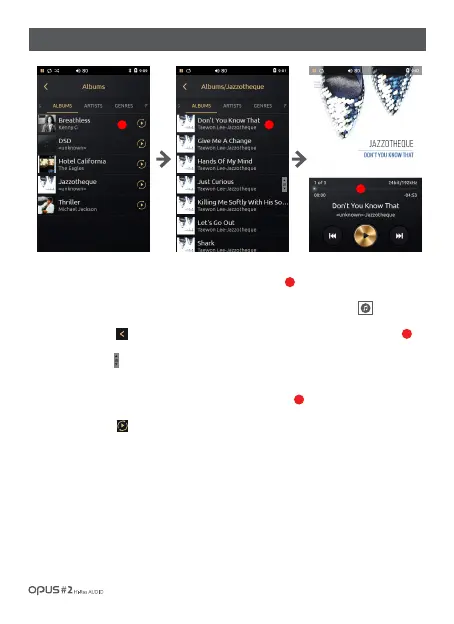
| Music library ‘Albums’ list screen
1.‘Album’ list displays all albums stored in the device by album name.
Album artwork is displayed as a thumbnail on the left side of the screen.
2. If file does not contain an album artwork it will be displayed as a musical note logo.
3. Press the button [ ] or select a desired song from the list to go back to the Playback screen.
4. Drag ‘Scroll bar’ [ ]up and down to search for a song.
5. Click at the album name and all songs in album will be shown by song title, artist name and
album artwork will be displayed at the left side in thumbnail type.
6. Press Play button[ ] located next to album name at the Albums list screen to
play the selected album.
1
2
3
1
3
2



 To Next Page