Using the device
/ 25
| Enter Quick settings screen
1
1
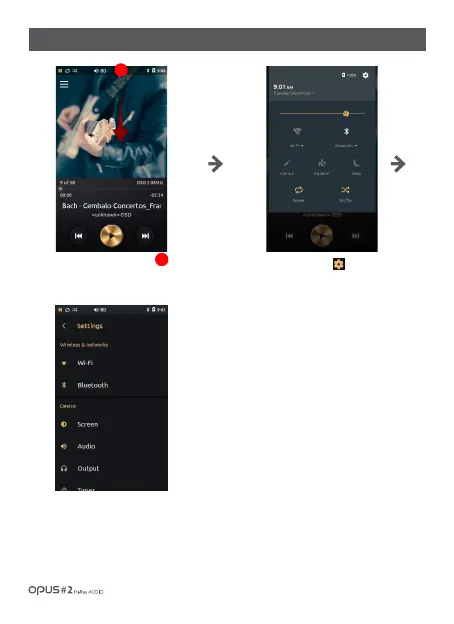
Press Settings icon [ ] in the right
upper corner.
All settings regarding ‘Wireless &
networks’ may be adjusted in Settings
menu.
You may scroll down a menu for
necessary settings search.
Drag down the Status bar
to enter Quick settings screen.



 To Next Page