Getting Started / 08
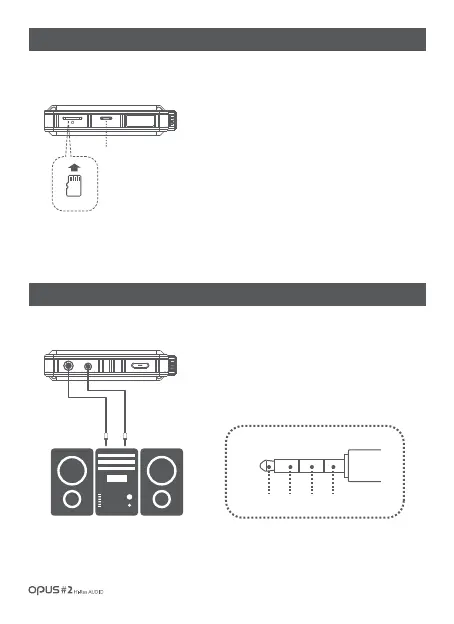
| Micro SDcard insertion/removal
1. Insert and remove Micro SD card only when the power is
turned off.
2.
Gently insert Micro SD card according to direction depicted.
Gently press the Micro SD card to release it from the slot.
3. Improper position of Micro SD card during insertion or
excessive pressing may damage Micro SD card and the
device.
| Earphones / Optical Out / Balanced Out(1)
Micro USB slot
1. Connect the device to a balanced audio input device
through earphones port (Ø3.5mm) (ground) and balanced
output port in conjunction.
Earphone (Ground) Balanced output(L/R)
Connection to balanced audio input device
R- R+ L+ L-



 To Next Page