Using the device
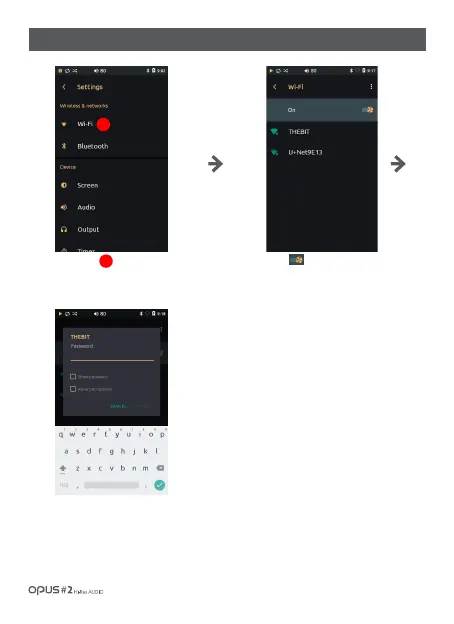
Press [ ]button to activate Wi-Fi
connection and to display AP list available
for connection.
Choose AP to connect to Wi-Fi.
(Depending on AP settings you may be
required to enter password and network
name.)
Long press chosen AP and chose ‘Modify
network’ to modify it.
If AP requires a password, pop-up
window and English keyboard will
appear automatically.
Press ‘Wi-Fi’ in Wireless &
networks in settings menu to
enter Wi-Fi settings screen.
/ 26
| ‘Wi-Fi’ settings screen
1
1



 To Next Page