Using the device
1
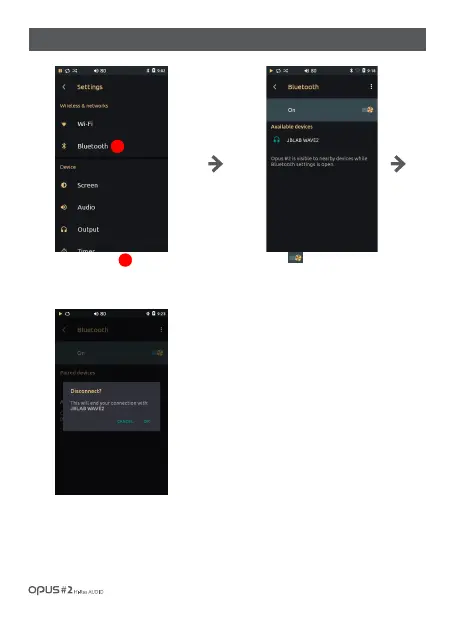
Press [ ]button to activate Bluetooth
connection and to display devices list
available for connection.
Choose a device to connect via Bluetooth.
Pairing process is required to connect via
Bluetooth. Refer to the device manual for
pairing to be complete.
Short press chosen device or press the
icon next to a device to disconnect.
Press ‘Bluetooth’ in Wireless &
networks in settings menu to enter
Bluetooth settings screen.
1
/ 27
| ‘Bluetooth’ settings screen



 To Next Page