Using the device
Organizing a playlist
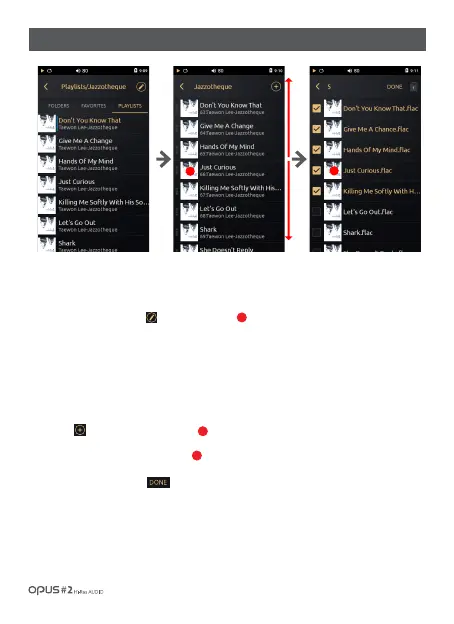
1. Choose any “Playlist” from the Music list menu.
2. Press playlist organizing icon [ ] to enter Playlist screen.
3. Playback order may be changed by dragging the file thumbnail to the desired position.
4. Long press the thumbnail to delete a file from the playlist.
Adding several songs to a playlist
1. Press [ ] button in the playlist screen.
2. Enter the folder screen to chose a file.
3. Choose songs and press [ ] button to add them to the playlist.
1
1
2
/ 22
| Music library ‘Playlists’ Organizing
1
2



 To Next Page