Using the device
/ 34
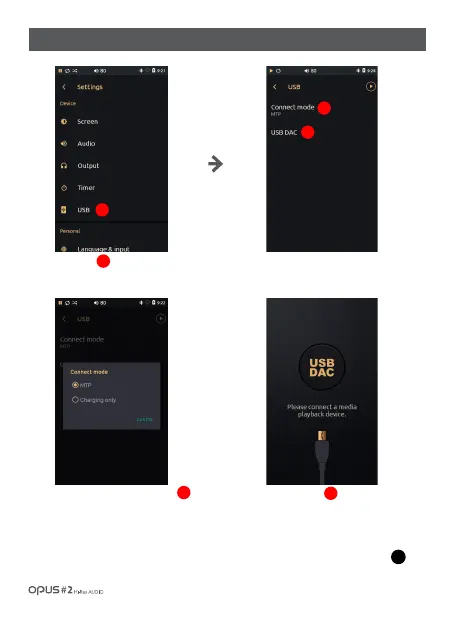
| ‘USB’ settings screen
Press ‘USB’ in Device in settings
menu to enter USB settings screen.
Press the Connect mode button
to enter MTP mode or charging
mode.
Press USB DAC to switch the
device to USB DAC mode and USB
HOST DEVICE connection waiting
mode. After connection the currently
played file information will be shown
in the center of the screen. Press
button to deactivate USB DAC mode.
2
3
1
2
3
1
USB
DAC



 To Next Page