BM-ECTWS26 AURAL PRO TWS | 3
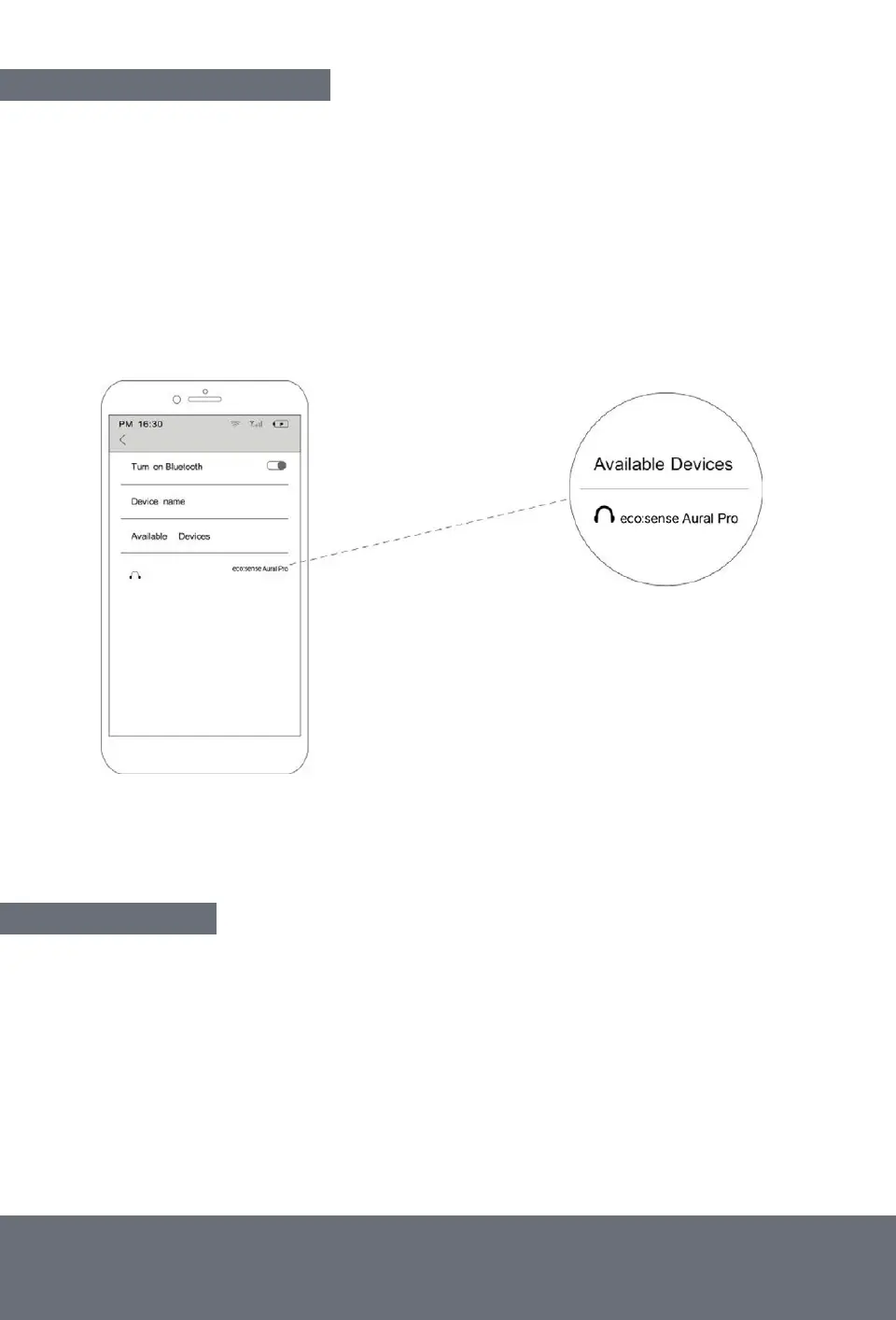
CONNECTING TO BLUETOOTH
1. Remove the Aural Pro TWS earbuds from the charging case
2. The LEDs on the earbuds will flash
3. Go to your devices Bluetooth settings and search for ‘ecosense Aural Pro’
4. The LEDs on the earbuds will stop flashing and you will hear an audible ‘connected’ from the
earbuds when they have connected to your device
The wireless range of the earbuds is circa 10m.
TROUBLESHOOT:
If you experience connection issues, only one earbud will connect, or your device cannot
find the Aural Pro TWS after previously pairing.
1. Check if you have paired the earbuds to different devices, turn the Bluetooth device off,
or remove it from the ‘paired’ list.
2. Remove them from your device ‘paired’ Bluetooth list and follow the pairing process again.


 To Next Page