BM-ECTWS26 AURAL PRO TWS | 5
PHONE CALLS
Answering a call:
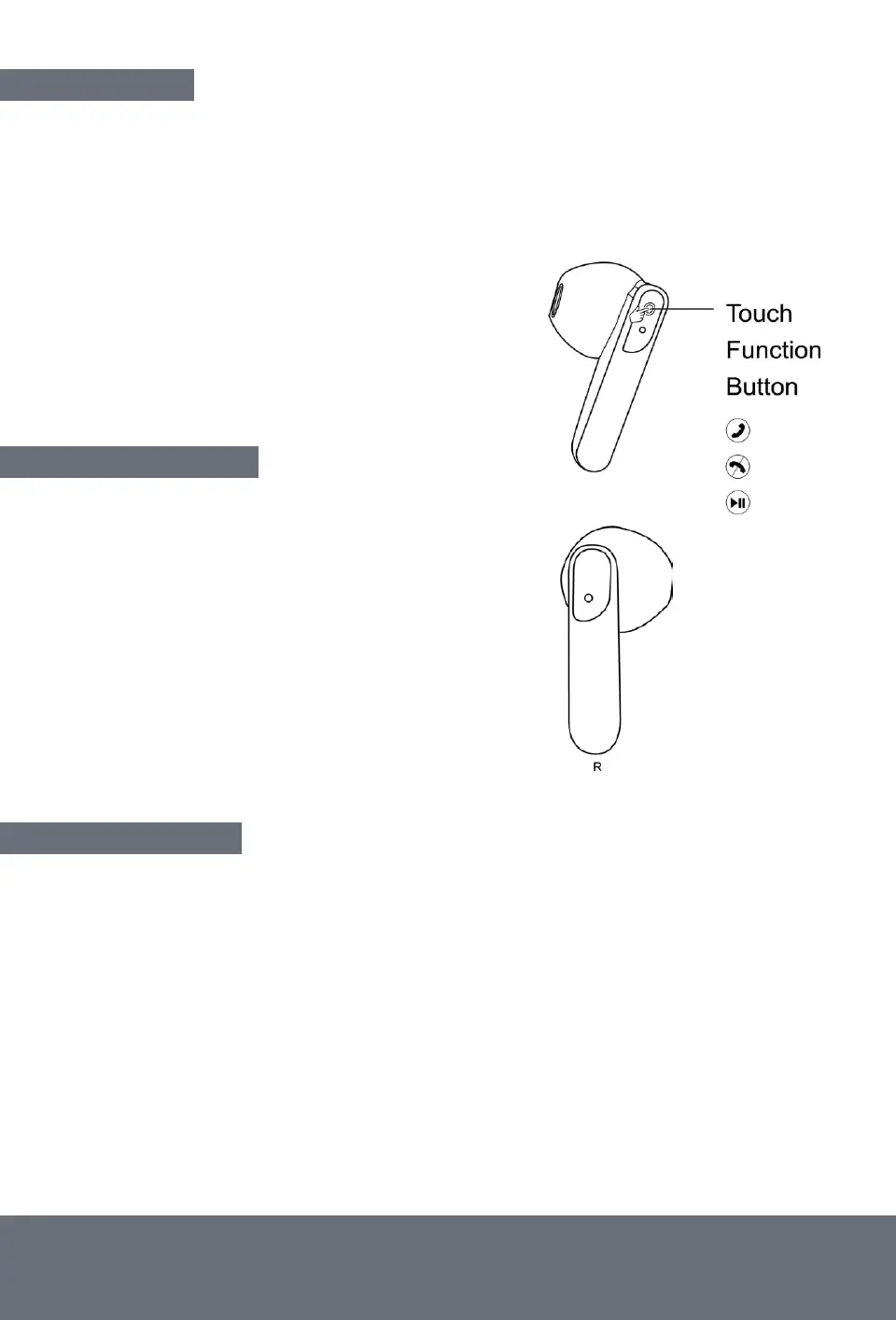
Short press (1 second) the Touch Function Button
on either the left or right earbud (as shown) to answer calls.
Rejecting a call:
Long Press (2 seconds) the
Touch Function Button to reject calls.
Play/Pause Music:
Short press (1 second) the
Touch Function Button to play/pause.
LISTENING TO MUSIC
Previous Track:
Press the Touch Function Button o
n the left earbud 3 times (3x) to play the previous track.
Next Track: Press the Touch Function Button
on the right earbud 3 times (3x) to play the next track.
Volume Control: On the right earbud, press the
Touch Function Button twice (2x) to increase the volume.
On the left earbud, press the Touch Function
Button twice (2x) to decrease the volume.
SPECIAL FEATURES
Did you know? Both the left & right earbuds can be used independently on separate devices.
Separate use: Remove one earbud from the charging case and pair it with your chosen device
as mentioned above. Remove the second earbud from the charging case and pair it
with your second device.
Tip! Ensure the earbuds are out of range from each other (min 10 meters)
to avoid automatic pairing.


 To Next Page