5-6 The Peel-Off
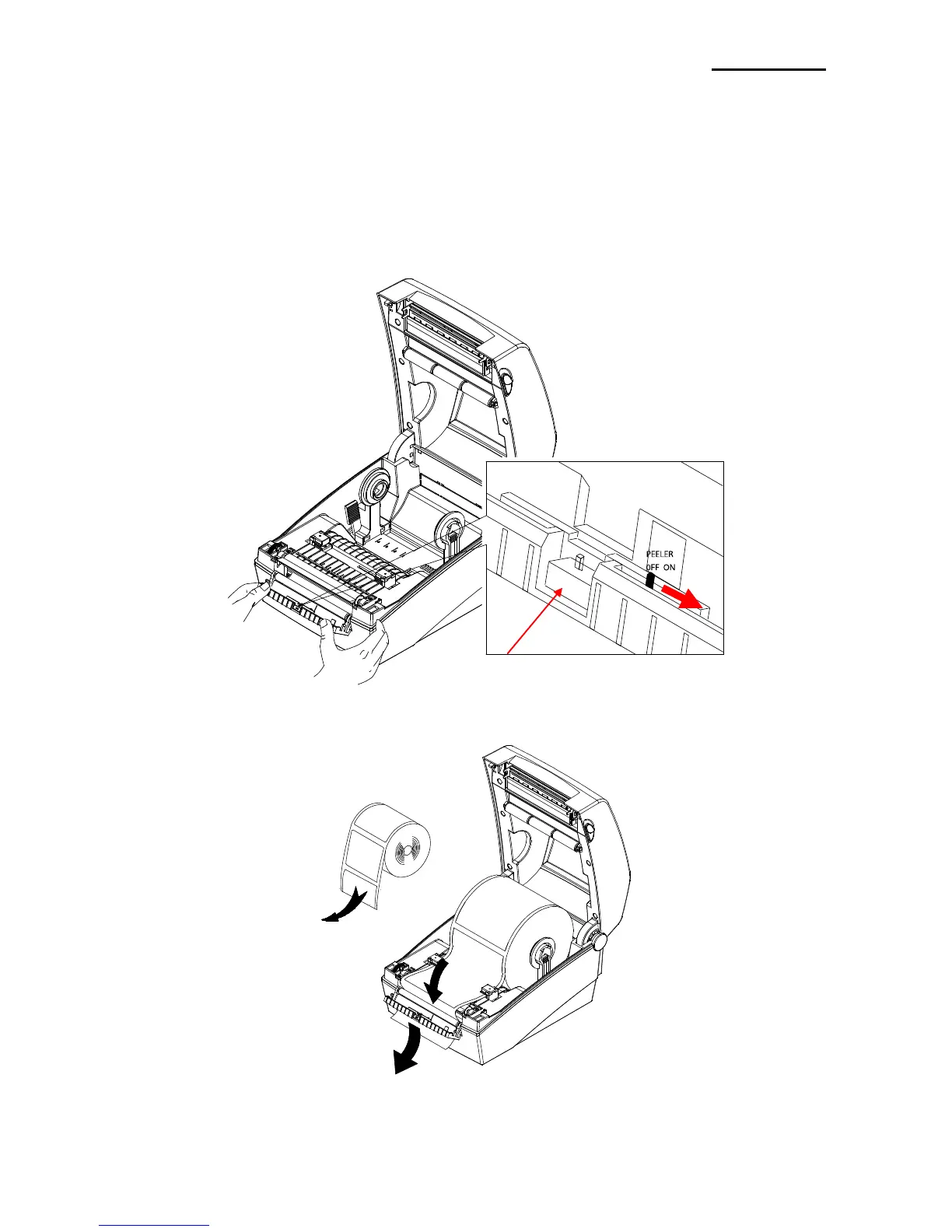
As a function that is used to peel-off labels, it is used only with label paper.
1) Open the paper cover.
2) Open the label peel-off cover and set the peeler switch to the ON position.
- Check to see that the LED has turned on.
3) Remove one sheet of the label paper, and insert the paper as shown in the image below.
- Prior to removing a label, the peeler switch must be set to the ON position.















 To Next Page