5. Detailed features
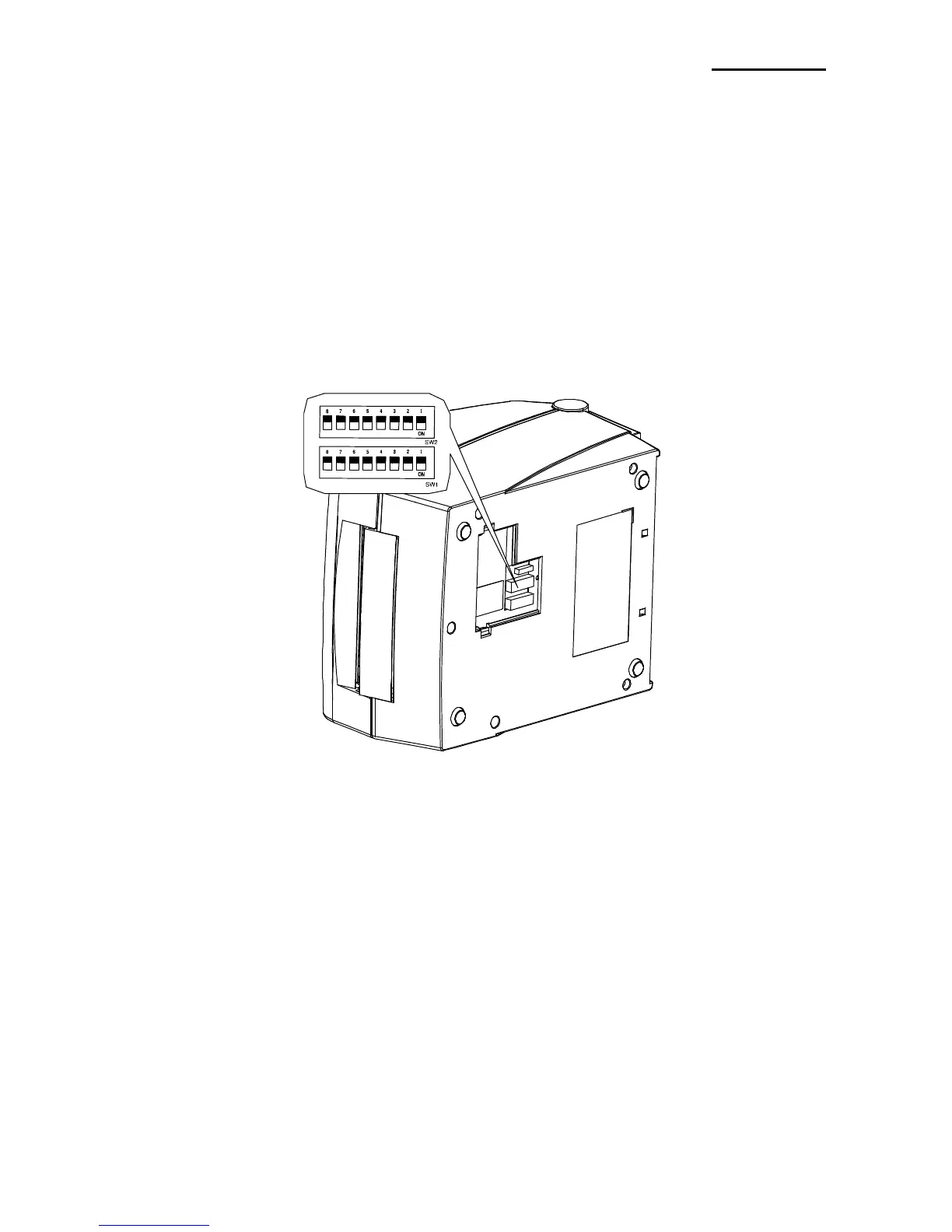
5-1 Printer Settings with Dip switches
The following functions can be selected using the dip switches.
- Print Speed, Print Density, Paper Select
- Auto Cutter, Back Feed, Paper Sensor Operation
- Serial Communication Speed and Busy Status
The dip switches are located on the bottom of the printer.
Follow these steps when changing dip switch settings:
1) Turn the printer power switch off.
2) Turn the printer upside down and remove the dip switch cover on the bottom.
3) Flip the dip switches using tweezers or another narrow-ended tool. Switches are off
when up and on when down following the figure.
4) New settings take effect when the printer is turned back on.
※ CAUTION
- Make sure if the dip switch cover is closed prior to operating















 To Next Page