EasyManua.ls Logo

BIXOLON SRP-330 - Connecting the Cables

BIXOLON SRP-330
23 pages
Print Icon
To Next Page IconTo Next Page
To Previous Page IconTo Previous Page
Loading...
Rev. 1.05
- 8 -
SRP-330
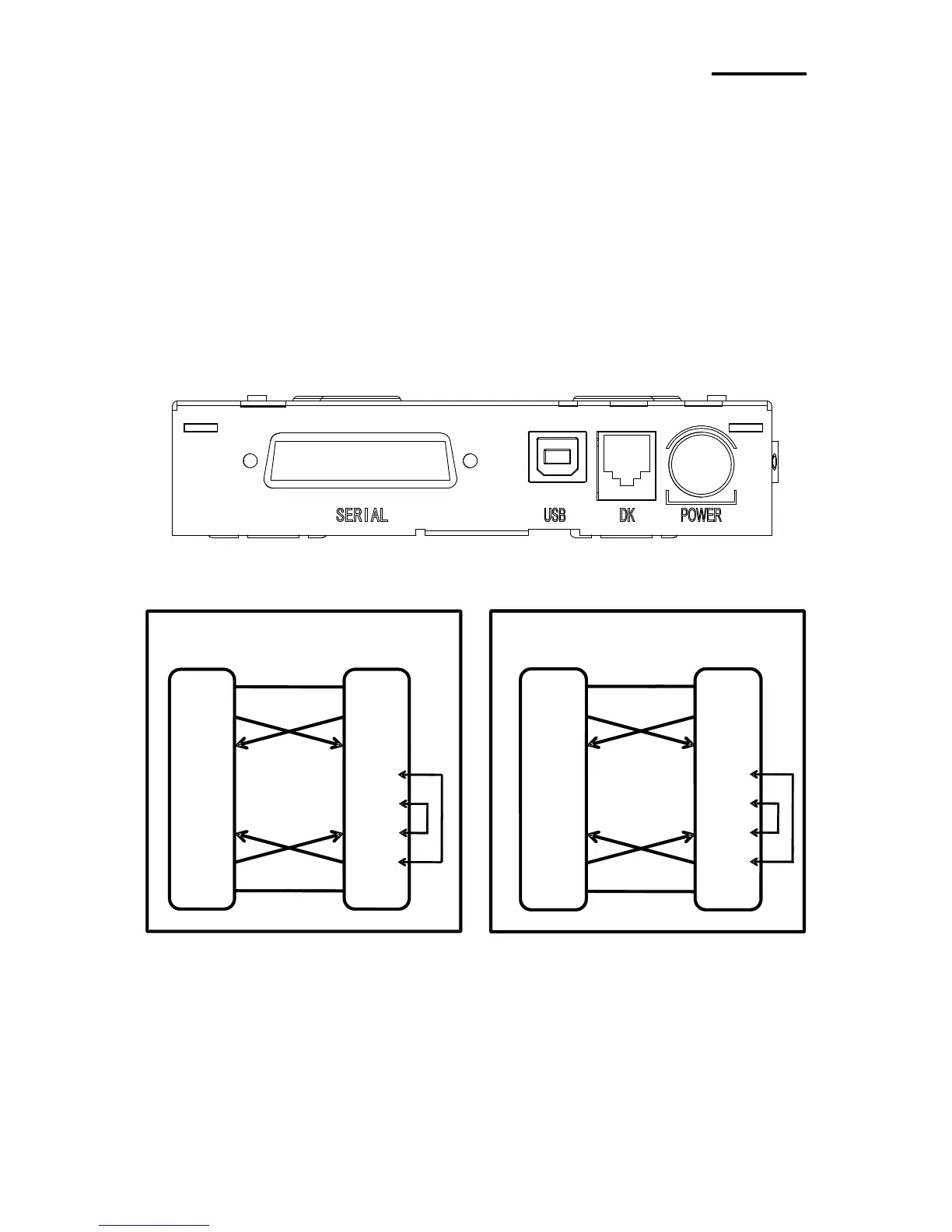
1-2 Connecting the Cables
Connect the cable that is suitable for the specifications of the printer and the host computer
(POS/ECR) to the printer and the host computer. The specification of the drawer should
match the printer specifications.
※ NOTE
Before connecting any of the cables, make sure that both the printer and the host are turned
off.
1-2-1 Serial Cable (RS-232C)
1-2-1-1 Single Serial Interface
1 (S.G)
3 (TXD)
2 (RXD)
7 (RTS)
8 (CTS)
6 (DSR)
4 (DTR)
5
(S.G)
PRINTER
SIDE(25P)
HOST
SIDE(9P)
(S.G) 1
(TXD) 2
(RXD) 3
(DSR) 6
(DTR) 20
(S.G) 7
1 (S.G)
2 (TXD)
3 (RXD)
4 (RTS)
5 (CTS)
6 (DSR)
20 (DTR)
7 (S.G)
PRINTER
SIDE(25P)
HOST
SIDE(25P)
(S.G) 1
(TXD) 2
(RXD) 3
(DSR) 6
(DTR) 20
(S.G) 7
Drawer kick-out
connector