7-2 Cleaning Printer
• The presence of dust, foreign matter, adhesive matter, or other pollutants inside the
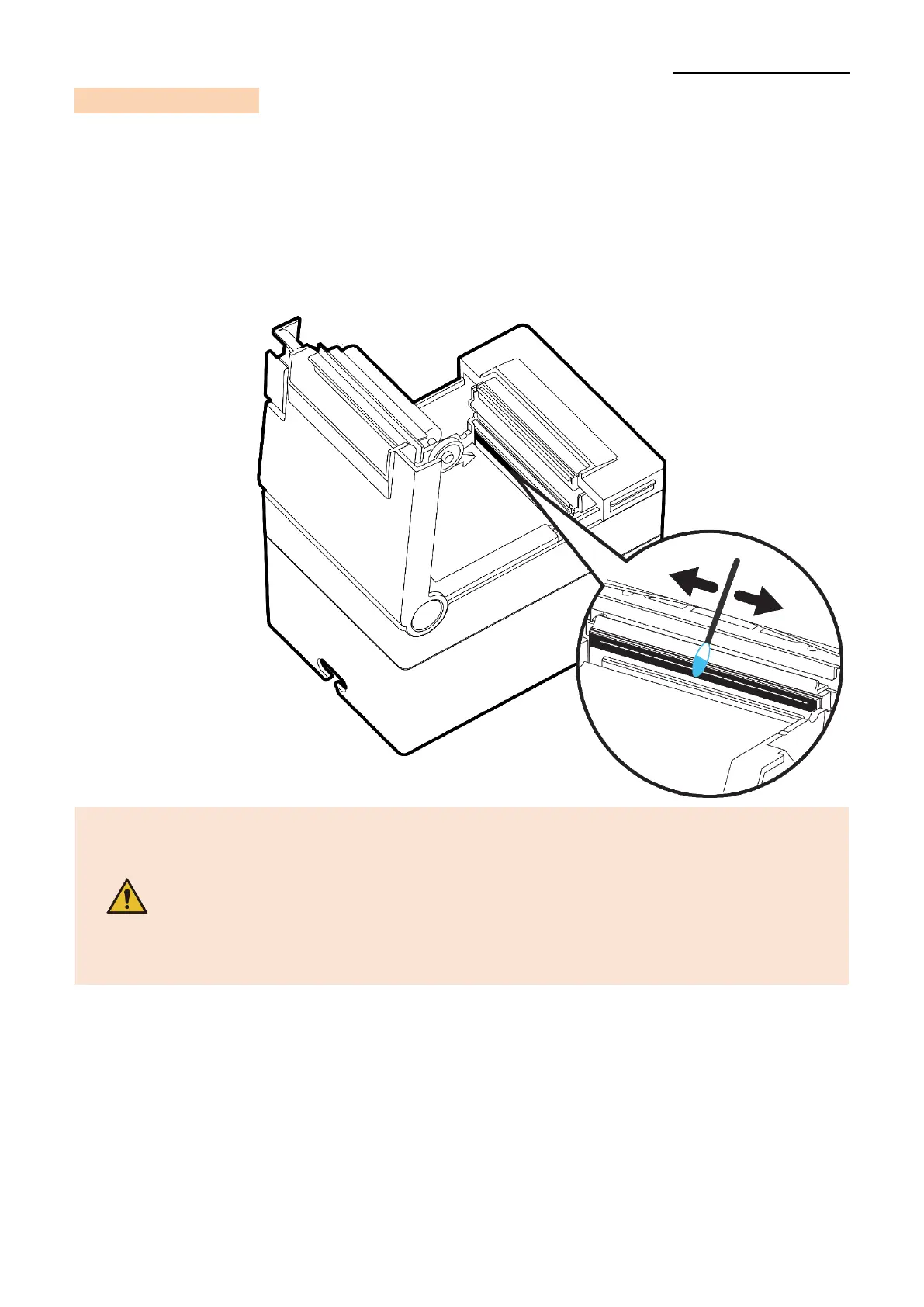
printer’s head and internal capacity may undermine printing quality.
It is recommended to clean printer at every paper roll change.
1) Open the Printer Cover and remove the paper currently in use.
2) Residue or contamination of TPH should be wiped out by alcohol for medical.
3) Insert a paper roll and close the Printer Cover.
- Be sure to clean after turning the printer off.
- Be careful not to leave scratches in the print head the printer may be
damaged.
- Print head is very hot while the printer is printing, so clean the printer
after cooling it sufficiently with power off.
- Do not touch heated area of print–head when cleaning.
Personal injury may result from static electricity, etc.



 To Next Page