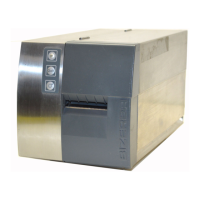
2.2 GLP-80/160
The GLP 80/160 printer can be operated also without display/operating unit. This unit
allows to comfortably configure the GLP printer. But even without this unit, it is possible,
to configure the GLP printer via its operating panel.
Description of keys on operating panel:
− T1 = PRINT
− T2 = FEED
− T3 = STOPP
− T4 = PAUSE
− T5 = RESET
− T6 = RESERVE
In order to set the printer, also without an operating
unit, to a certain operating mode when it switching
on, the following key combinations are available:
− T4+T6 = SLIP operating mode (single)
− T5+T1 = GLP to PC (19200 baud)
− T5+T2 = GLP is a total printer
− T5+T3 = GLP operates as labeler
− T5+T4 = Service mode
− T5+T6 = GLP to PC (57600 baud)
Depending on the configuration or operating mode, data on the interface speed have to
be indicated accordingly in the printer driver!


 To Next Page
 Loading...