BJ-256 BJ Control Pro
User Guide
1. Enable the configuration mode on the remote
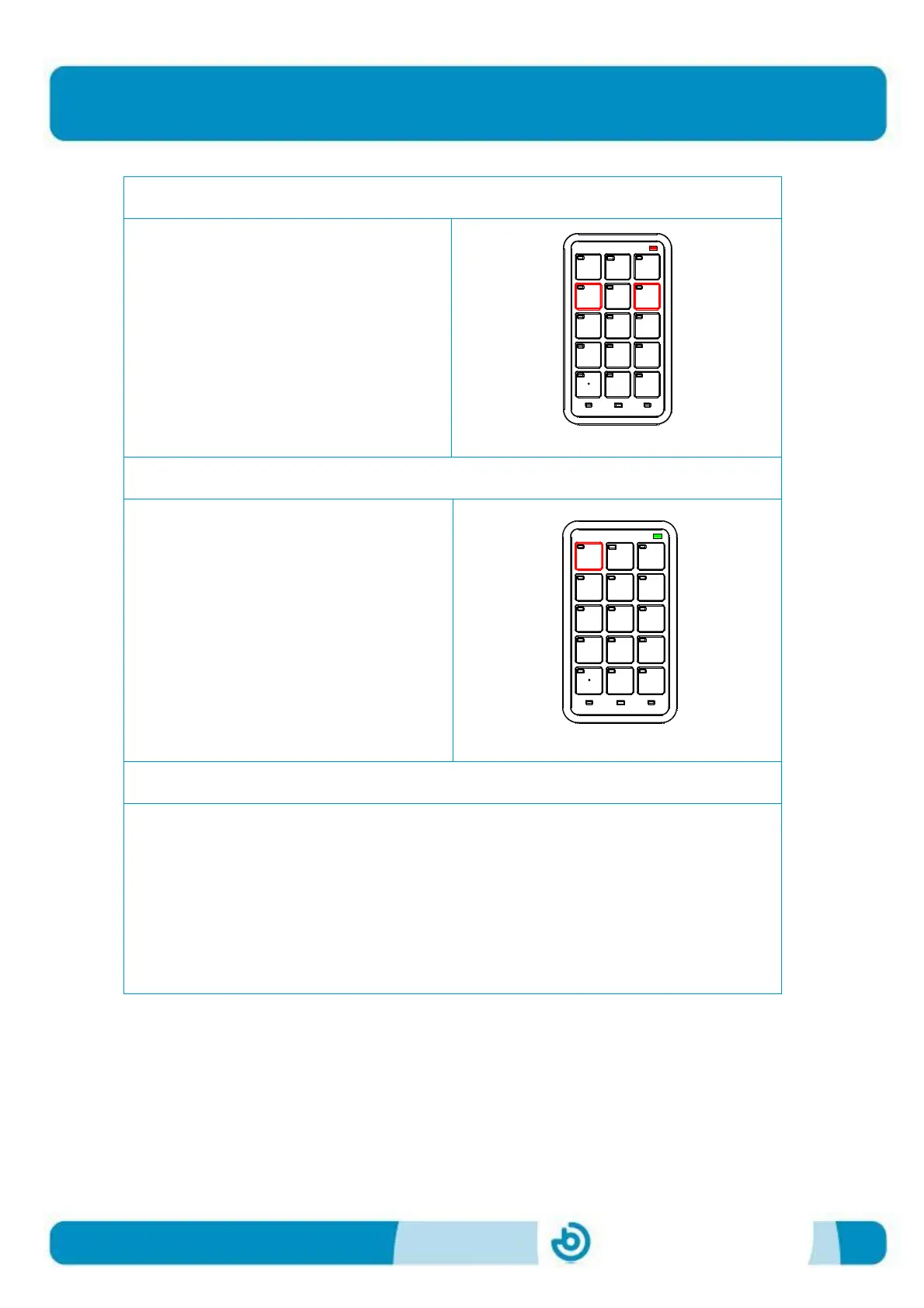
To enter the remote configuration
mode, press keys 4 and 6
simultaneously. The battery LED will
turn red, indicating that the remote is
ready to be configured.
2. Select the parameter to set
Activate the cell for the parameter you
wish to set, following the instructions in
the configuration template (Figure 3).
In the example shown, if we wish to
change the scan time we will need to
press the 1 key.
The battery LED will turn green,
indicating that the remote is waiting for
the value of the parameter.
3. Select the parameter value
In this step, we must enter the value of the parameter in the format indicated in
section 6.
In our example, to enter a scan time of 2 seconds, we must press the "2" key
followed by the "." key and then the "0" key, using the format "x.y".
Once the process is complete, the start-up sequence will run, i.e. all the LEDs on
the remote will light up for an instant to confirm the reading of the new value.


 To Next Page