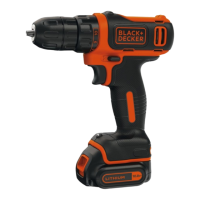
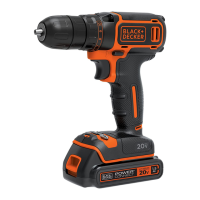
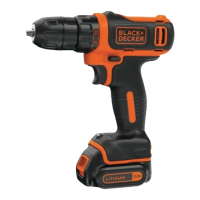
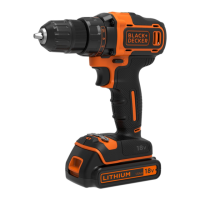
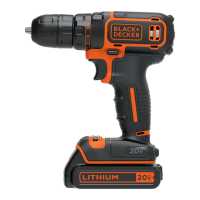
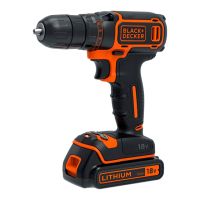
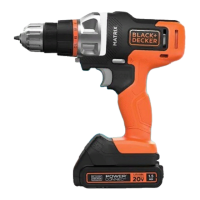
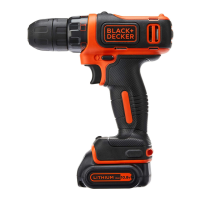
The BLACK+DECKER BDCDD12 is a versatile drill designed for screwdriving and drilling applications in various materials such as wood, metal, and plastics. It is intended for consumer use, offering a balance of power and ease of handling for everyday tasks.
Function Description
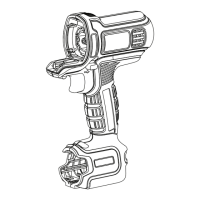
The BDCDD12 operates with a variable speed switch (1), allowing users to control the drilling or screwdriving speed by adjusting the pressure on the trigger. A forward/reverse slider (2) enables quick changes in rotation direction, essential for both driving and removing screws, as well as for extracting drill bits from materials. This slider also functions as a lock-off button when set to the center position, preventing unintentional starting of the tool.
The tool features a torque adjustment collar (3), which allows users to select the appropriate torque setting for different applications. Higher torque settings are suitable for larger screws and harder materials, while lower settings are ideal for smaller screws and softer workpieces. For drilling, the collar can be set to the drilling position symbol. The keyless chuck (4) facilitates quick and easy bit changes without the need for additional tools. Users can insert or remove drill bits and other accessories by grasping the rear half of the chuck (10) and rotating the front half (11) counterclockwise to loosen, and clockwise to tighten.
Power is supplied by a removable battery pack (5), which is secured by a battery release button (6). The battery needs to be charged using the provided charger (7). The charger (8) plugs into a standard electrical outlet, and an indicator light (9) shows the charging status.
Usage Features
To install the battery pack, it is slid into the tool until an audible click is heard. Removal is achieved by depressing the battery release button and pulling the pack out. Before installing or removing the battery, it is recommended to engage the lock-off button to prevent accidental activation.
When operating the drill, users should always apply light, straight-line pressure. For drilling through workpieces, pressure should be decreased just before the drill bit breaks through the other side to prevent splintering. Using a block of wood as a backup can also help prevent splintering. For drilling large diameter holes in wood, spade bits are recommended, while HSS drill bits are suitable for metal. Masonry bits should be used for soft masonry. When drilling metals other than cast iron and brass, a lubricant can be used to improve performance. To enhance accuracy, an indentation can be made at the center of the hole with a center punch before drilling.
For screwdriving, it is crucial to use the correct type and size of screwdriver bit. If screws are difficult to tighten, applying a small amount of washing liquid or soap can act as a lubricant. The tool and screwdriver bit should always be held in a straight line with the screw to ensure proper engagement and prevent cam-out.
The torque adjustment collar is particularly useful for screwdriving. If the clutch ratchets before the desired result is achieved, the collar setting should be increased until the screw is tightened appropriately. This setting can then be used for subsequent screws.
Maintenance Features
The BDCDD12 is designed for long-term operation with minimal maintenance. Regular cleaning is essential for satisfactory performance. Before any maintenance, the battery should be removed from the tool, and the charger unplugged from the outlet.
Users should regularly clean the ventilation slots in both the tool and charger using a soft brush or dry cloth to prevent dust buildup. The motor housing can be cleaned with a damp cloth, but abrasive or solvent-based cleaners should be avoided. The chuck should also be opened regularly and tapped to remove any dust from its interior.
The battery pack itself requires specific care. It should not be opened or exposed to water. Storage should be in locations where the temperature does not exceed 40 °C, and charging should occur at ambient temperatures between 10 °C and 40 °C. Only the charger provided with the tool should be used. Damaged batteries should not be charged.
The charger also requires minimal maintenance and should not be opened or probed. It is intended for indoor use only. If the supply cord of the charger is damaged, it must be replaced by the manufacturer or an authorized service center to avoid hazards.
In case of any issues, such as the unit not starting or the battery pack not charging, troubleshooting steps include checking if the charger is plugged in, ensuring the ambient temperature is within the recommended range, and allowing the battery pack to cool down if it has reached its maximum thermal limit. If the battery pack is out of charge, it should be placed on the charger and allowed to charge fully.


 To Next Page
 General