Control Panel
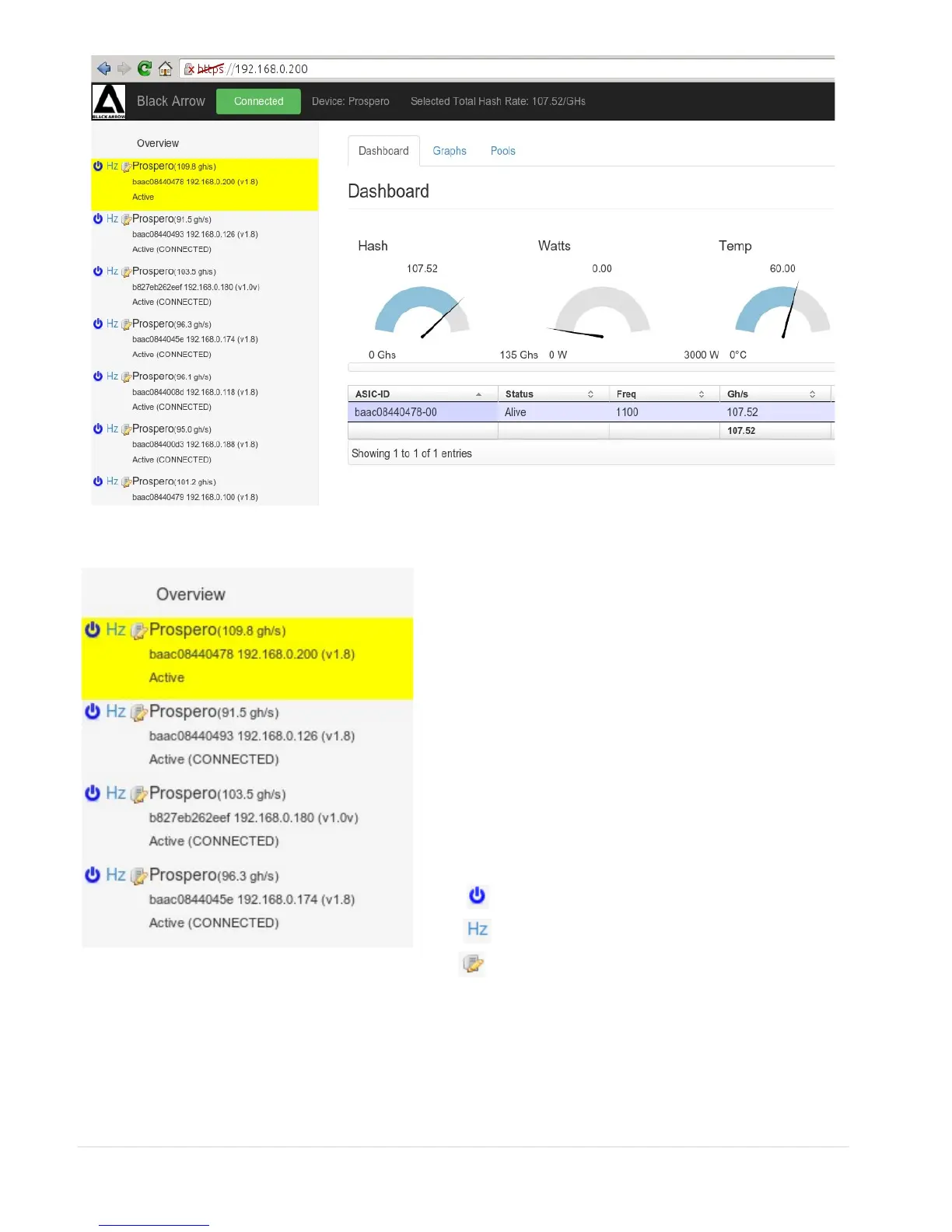
If you have purchased multiple Prosperos, and
you have connected them all to the network,
your network control panel will look something
like this.
The first Prospero in the list, is always the unit
you that you are connected to. Additional units
you may have are listed below. There is no need
to connect to all your other Prosperos
individually.
You can control everything from here. The
selected Prospero (highlighted in yellow) is the
device that you are controlling.
Start, Stop, Update Software
Adjust Clock Settings
Edit Name
4 | P a g e


 To Next Page