“RED” - Chip on the standby, or is overheated or other the existence of other issues are
preventing the chip from starting up properly.
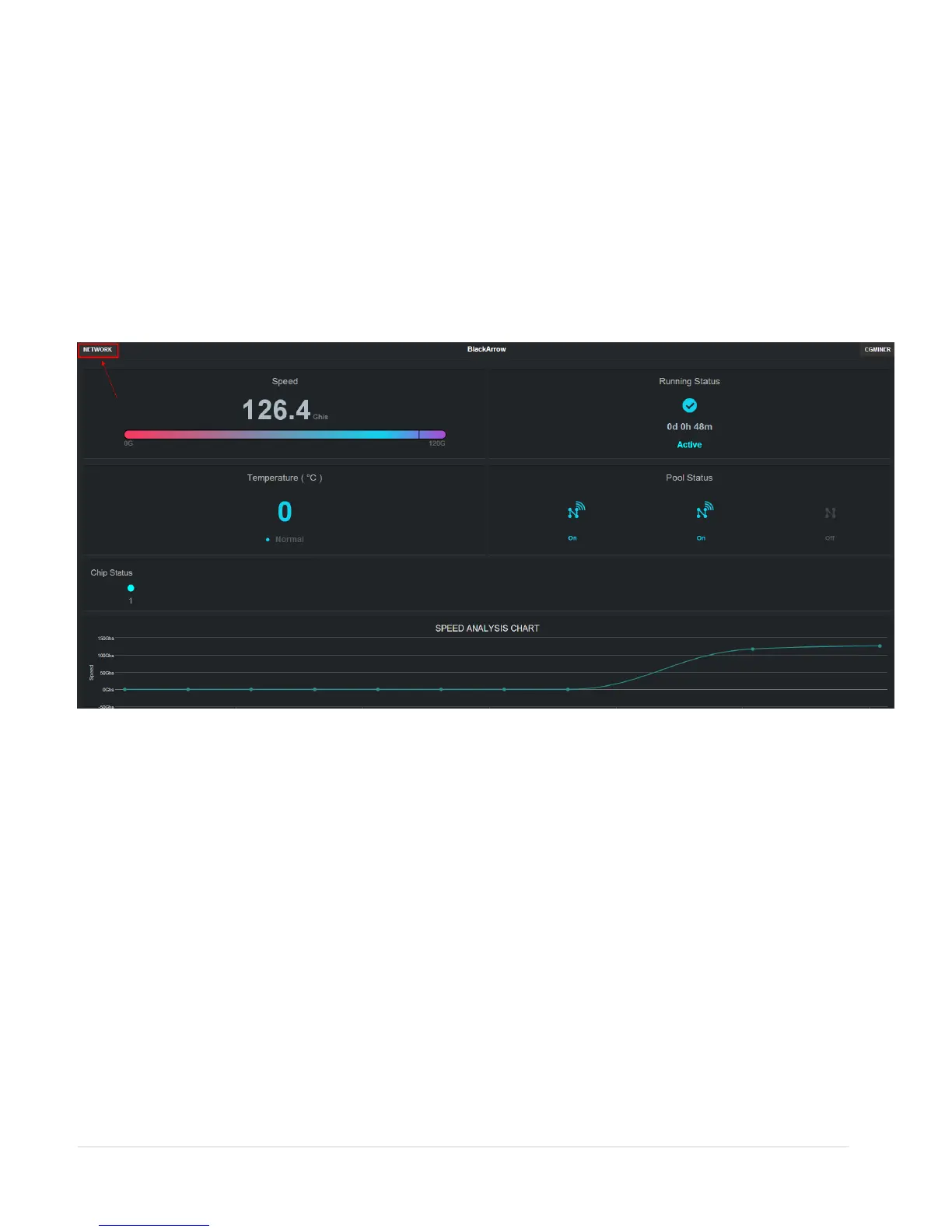
8. SPEED ANALYSIS CHART – A chart is automatically displayed to capture the miner’s
average speed.
9. TEMPERATURE STATUS ANALYSIS CHART – A chart is automatically displayed to
capture the miner’s average temperature.
V. Network options
To change assigned static IP for your device, the user must click on the NETWORK button situated
in the top left corner of the miner status screen.
The user should be able to access the network configuration window.
The user can the miner’s network details according to current network setup.
7 | P a g e


 To Next Page